



How to make Twitch banners and panels
A Twitch channel has three kinds of art you can set: the profile banner behind your offline home, the video player banner (offline screen), and the info panels on your About section. This page makes all three from one image at the sizes Twitch gives, keeps panels under the stricter of Twitch’s two limits, and previews the banner the way twitch.tv and m.twitch.tv draw it.
- Drop an image. A sample kit is already made from an original 2400×1350 illustration, so you can see the result first.
- Type your channel name, pick an accent colour, and slide the banner crop. Check it on Laptop 1366, Desktop 1920 and Phone.
- Write the offline screen headline and schedule line, and list your panel titles (one per line).
- Download the 1200×480 banner, the 1920×1080 offline screen and each 320 px panel, then add them on Twitch: Creator Dashboard → Settings → Channel → Brand for the banners, Edit Panels on your About section for the panels.
What Twitch says (read October 25, 2026)
Twitch’s sizes are spread over three help articles and one old blog post, and they don’t all agree. The table quotes them word for word.
| What | What Twitch says | Source |
|---|---|---|
| Profile banner size | “The recommended size for a profile banner is 1200x480px.” | Twitch Help: Channel Page Setup |
| How it scales | “Images shorter or taller than 480px will be scaled to 480px high.” “Images will also be stretched if a user’s browser window is open wider than the width of the image.” | Twitch Help: Channel Page Setup |
| Where to put things | “it is best to make your image as wide as possible and concentrate the graphics on the left.” | Twitch Help: Channel Page Setup |
| Banner limits | “Bear in mind the maximum file size for a profile banner is 10MB, 1200px width x 480px height, and limited to the following formats: .gif, .jpg, .png.” | Twitch Help: Twitch Account Settings |
| Video player banner | Uploaded on the same Brand tab, it is the image “which will appear when your channel is offline”. “Animated video player banners are not natively supported on Twitch.” No size is given. | Twitch Help: Channel Page Setup |
| Video player banner size | “If you want to make sure your Video Player Banner artwork doesn’t get covered by the new thumbnails, we recommend uploading 1920x1080 image with any text or important content near the center.” | Twitch blog, June 22, 2017 |
| Panel images (1) | “File sizes for images must be under 2.9 MB, and should be no larger than 320px wide and 300px high, otherwise they automatically resize to these maximums.” | Twitch Help: Channel Page Setup |
| Panel images (2) | “File sizes for images must be under 1 MB” and “images should be no larger that 320px wide and 600px high (otherwise they automatically resize to these maximums)”. | Twitch Help: How to Edit Info Panels |
| Where panels are edited | “When your stream is offline, visit your channel's About section to update panels.” “Descriptions can be stylized in Markdown (sorry, no HTML).” | Twitch Help: How to Edit Info Panels |
help.twitch.tv builds its pages with scripts, so we read them in a real browser (Chrome via Playwright) and saved the text. We did not log in or upload anything to Twitch. Gridloom is not affiliated with Twitch.
Where Twitch’s own pages don’t agree
- Panel limits. Channel Page Setup says under 2.9 MB and at most 320×300. How to Edit Info Panels says under 1 MB and at most 320×600. This tool makes 320 px wide panels under 1 MB, and its “Resize my image to one panel” option caps the height at 300 px unless you untick it, so the files fit both. On the six channels we checked, 16 of 62 panel images were taller than 300 px (the tallest was 410), so taller panels clearly exist. We can’t tell when they were uploaded or what limit applied.
- Banner width. Channel Page Setup recommends 1200×480 but also says to make the image “as wide as possible”. Account Settings calls 1200×480 the maximum. Of ten channels we checked, two serve 1920×480 banners (more below). The tool defaults to 1200×480 and offers 1920×480 with a note, because we couldn’t test an upload.
- “…concentrate the graphics on the left” That isn’t what we measured. twitch.tv centres the banner and crops it to fill the box, so a narrow window cuts the left edge as much as the right. On a 1366 px laptop window the info card sits over x 86–404 of a 1200×480 file.
- Offline screen size. The only official 1920×1080 we found is in the 2017 blog post, written for the channel page of that time. The help article gives no size. The tool makes 1920×1080 with the text in the middle, as the post asks.
Twitch banner size: 1200×480, but most of it sits behind other things
1200×480 is a 2.5:1 strip. On twitch.tv it is the background of your channel’s offline home: Twitch scales it to fill a box 484 CSS px tall and as wide as the window minus the side bar, then draws the offline info card and the trailer or video carousel over the middle. On m.twitch.tv the banner is a 90 px strip across the top of the profile. The table shows what part of a 1200×480 file each screen showed.
| Window | Banner box (CSS px) | Part of the file you see | Covered by |
|---|---|---|---|
| 1920 px desktop | 1680×484 | full width, y 67–413 | card x 230–459, video area x 470–970 (y 133–347) |
| 1600 px | 1360×484 | full width, y 27–454 | card x 143–425, video area x 439–1,057 (y 108–372) |
| 1440 px | 1200×484 | x 5–1,195, full height | card x 86–404, video area x 420–1,114 (y 91–389) |
| 1366 px laptop | 1126×484 | x 42–1,158, full height | card x 86–404, video area x 420–1,114 (y 91–389) |
| 1280 px | 1040×484 | x 84–1,116, full height | card x 116–433, video area x 449–1,084 (y 91–389) |
| 1024 px | 974×484 | x 117–1,083, full height | card x 149–466, video area x 482–1,051 (y 91–389) |
| 768 px (desktop site) | 718×586 | x 306–894, full height | card and video stacked over the middle |
| Phone 320 px (m.twitch.tv) | 320×90 | full width, y 71–409 | avatar x 60–330, y 349–409 |
| Phone 390 px | 390×90 | full width, y 102–379 | avatar x 49–271, y 329–379 |
| Phone 412 px | 412×90 | full width, y 109–371 | avatar x 47–256, y 325–371 |
| Phone 430 px | 430×90 | full width, y 114–366 | avatar x 45–246, y 321–366 |
Measured October 25, 2026 with Playwright in Chrome, signed out, on twitch.tv/twitch at 13 window widths (320–1920 px) with a desktop browser, and on m.twitch.tv with iPhone SE, iPhone 13, Pixel 7 and iPhone 14 Pro Max emulation. The banner is a CSS background with background-size: cover and position 50% 50% on desktop, and an image drawn at its own shape on phones. Nine other channels (ninja, pokimane, lirik, shroud, cohhcarnage, ludwig, riotgames, sodapoppin, hasanabi) had the same 1126×484 box at 1366 px. Twitch can change this layout at any time.
What that means for your design: no spot on a 1200×480 banner shows clearly on both a 1366 px laptop and a phone. The laptop shows a band about 90 px deep along the top and bottom, and phones show only the middle (y 114–366 on a 430 px phone). Treat the banner as a backdrop, with colour, scenery or a pattern, and put your name and schedule on the offline screen and panels. If you want your name on it anyway, the right edge (about x 976–1,146) shows on phones and on a 1920 px window, but not on a 1366 px laptop. The tool’s “Channel name at the right edge” option puts it there and tells you which screens hide it.
What Twitch does to the banner file (measured)
We downloaded the banners twitch.tv loaded for ten channels. All ten were served 480 px tall, the height Twitch says it scales to: four at 1200×480, two at 1920×480, one each at 1440×480 and 1432×480, and two at 853×480 (16:9). The URLs end in profile_banner-480. So a wider banner keeps its width. On phones that changes a lot. m.twitch.tv draws the banner at its own shape across the screen and shows only the middle 90 px: on a 390 px phone that is 58% of a 1200×480 banner’s height, 92% of a 1920×480 one, and 41% of a 16:9 one.
Twitch panel size: 320 px wide
We looked at 62 panel images on six channels’ About pages (twitch, pokimane, shroud, cohhcarnage, ludwig, sodapoppin). Every one was a 320 px wide file drawn 320 CSS px wide. Heights ran from 60 to 410 px. Twitch lays them out in three columns on a 1366 px window, four at 1920 px and one at 768 px. A 320 px file is all Twitch keeps, so there is no point making panels wider. The panel maker makes 320 px wide title panels at 60–160 px tall, or resizes your own image to 320 px wide.
Offline screen (video player banner): 1920×1080
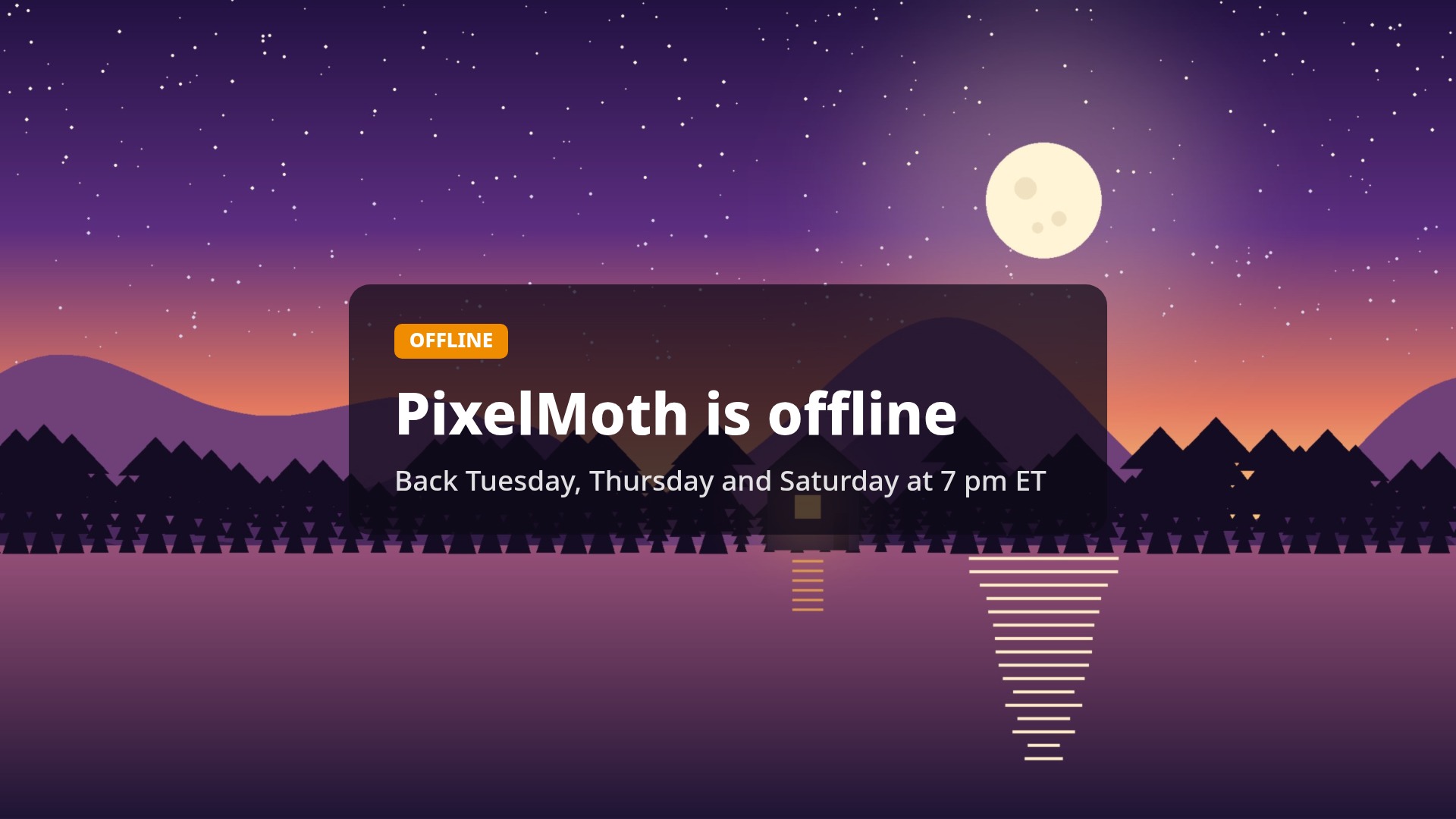
Twitch calls it the video player banner and says it appears when you are offline. The only size we found from Twitch is the 2017 blog’s 1920×1080 with text “near the center”. We couldn’t see one on the channels we checked: signed out, the offline home showed the channel trailer or recent videos, and the embedded player showed a card saying the channel was offline, with its latest stream. So we can’t show you how it is cropped today. The tool makes a 1920×1080 JPEG with your headline and schedule in a card in the middle third.
Measured on the sample
| File | Format | Size |
|---|---|---|
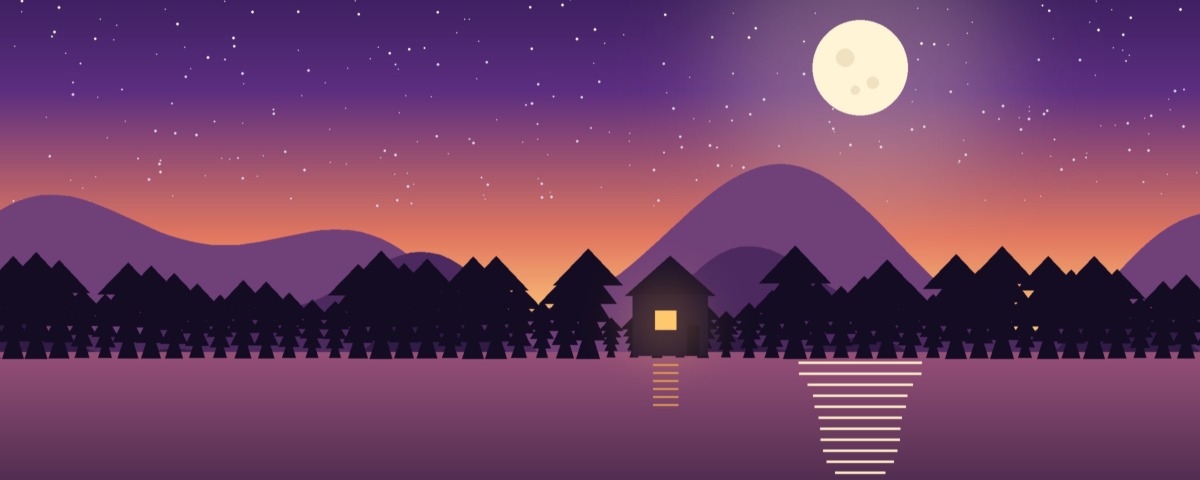
| Profile banner 1200×480 (above) | JPEG, quality 92 | 66,442 bytes |
| Profile banner 1200×480 | PNG | 315,424 bytes |
| Profile banner 1920×480 | JPEG, quality 92 | 90,276 bytes |
| Offline screen 1920×1080 | JPEG, quality 92 | 183,521 bytes |
| Four title panels 320×100 | PNG | 48,065, 49,280, 50,651, 49,204 bytes |
| Image resized to one panel | PNG, 320×180 | 48,429 bytes |
Sample: an original Gridloom illustration, 2400×1350. Measured in Chrome with this page’s own code. Every file is far under Twitch’s limits (10MB for the banner, 1 MB or 2.9 MB for panels). Twitch states no file limit for the video player banner.
How to add them on Twitch
Banner and offline screen: Twitch’s help says to open Creator Dashboard, then Settings, Channel and the Brand tab. Profile Banner has an Update button; the video player banner is on the same tab (the help article’s steps for it repeat the accent-colour steps, so we can’t quote exact button names). Panels: open your channel’s About section, switch Edit Panels on, add a panel, choose the image, add a link and a description if you want, and press Submit.
What this tool doesn’t do
It doesn’t log in to Twitch or upload anything. It makes still images. Twitch lists .gif for the profile banner, but a GIF you drop here becomes its first frame, and Twitch says animated video player banners aren’t supported. It doesn’t write panel descriptions or links; you add those in Twitch’s panel editor. For the profile picture, Account Settings gives 10MB and 256px width x 256px height, and Channel Page Setup says “Must be JPEG, PNG, or GIF and cannot exceed 10MB.”; the profile picture resizer makes a centred square. Emotes and badges have their own sizes: use the Twitch emote resizer. Other banners: YouTube, Discord, X.
Frequently asked questions
What size is a Twitch banner?
Twitch recommends 1200×480 px for the profile banner, and its Account Settings page gives 10MB and .gif, .jpg or .png as the limits. That is a 2.5:1 strip. On twitch.tv most of it sits behind the offline info card and video area, so keep important things away from the middle.
What is the Twitch banner size in pixels and ratio?
1200×480 pixels, a 2.5:1 ratio. Twitch scales banners to 480 px high. Of ten channels we checked, four served 1200×480 and two served 1920×480 (4:1).
What size are Twitch panels?
320 px wide. Twitch’s two help articles disagree on the height (300 px vs 600 px) and the file limit (2.9 MB vs 1 MB). On six channels we found 62 panels, all 320 px wide, 60 to 410 px tall. A 320×100 title panel under 1 MB fits both articles.
What is the maximum Twitch panel size?
Channel Page Setup says “no larger than 320px wide and 300px high” and under 2.9 MB; How to Edit Info Panels says 320px wide and 600px high and under 1 MB. Bigger images are resized to those maximums. To be safe, stay at 320 px wide, 300 px tall and under 1 MB.
What size is a Twitch offline screen?
1920×1080. Twitch’s help gives no size for the video player banner (the offline screen), but a 2017 Twitch blog post recommends 1920x1080 with text near the center. This tool makes a 1920×1080 JPEG with the text in the middle.
What is a video player banner on Twitch?
It is Twitch’s name for the offline screen: an image set on the Brand tab of your channel settings that Twitch says appears when your channel is offline. Animated ones aren’t supported.
Why is my Twitch banner cut off?
twitch.tv crops the banner to fill its box. At 1920 px it cuts the top and bottom (you see y 67–413 of 1200×480), on smaller windows it cuts the sides, and the info card and video area cover the middle. On phones only the middle 90 px strip shows. The previews on this page show each case.
What does a Twitch banner look like on mobile?
On m.twitch.tv the banner spans the screen at its own shape and only the middle 90 px are shown: y 102–379 of a 1200×480 file on a 390 px phone. Your 72 px avatar overlaps the lower-left corner.
Can a Twitch banner be a GIF?
Twitch lists .gif as an allowed format for the profile banner. Animated video player banners (offline screens) are not supported. This tool makes still JPG or PNG files.
What is the Twitch banner file size limit?
10MB, per Twitch’s Account Settings page. A 1200×480 JPEG from this tool is far smaller; the status line shows the exact bytes.
How do I add panels on Twitch?
Go to your channel’s About section, switch Edit Panels on, add a panel, upload the 320 px image, add a link or a Markdown description if you want, and press Submit. Drag panels to reorder them.
Is this Twitch panel maker free?
Yes. The banner, the offline screen and every panel download free, with no watermark and no sign-up. Pro adds the whole kit as one ZIP and several images at once. Your image never leaves your browser.