How to resize a YouTube thumbnail
YouTube wants a 16:9 image that is large but not too heavy. Most thumbnails go wrong in one of three ways: the wrong shape (a square or 4:3 export gets letterboxed), a PNG that is over 2 MB, or text that can't be read at feed size. This page fixes the first two and lets you check the third.
- Export your thumbnail as large as you can, ideally 3840×2160. A sample is already loaded so you can see the results first.
- Drop it here. Pick “Under 2 MB” if you might upload from the YouTube app, or “Under 50 MB” if you only use YouTube Studio on a computer.
- If the image isn't 16:9, choose crop (and slide the crop position) or fit with a blurred background.
- Check the home-feed and 168 px “Up next” previews, then download one size or all of them as a ZIP.
- In YouTube Studio, open Content, click the video's details, then Upload file under Thumbnail, and save.
YouTube thumbnail requirements (October 2026)
| What | YouTube's requirement |
|---|---|
| Recommended resolution, videos | 3840×2160 px, minimum width 640 px |
| Recommended resolution, Shorts | 2160×3840 px, minimum height 640 px |
| Aspect ratio | 16:9 for videos, 9:16 for Shorts, 1:1 for podcast playlists |
| File size, desktop (YouTube Studio) | 50 MB for video, Shorts and podcast thumbnails |
| File size, mobile | 2 MB for video thumbnails, 10 MB for podcasts |
| File size, YouTube Data API (thumbnails.set) | 50 MB; image/jpeg or image/png |
| Formats | Image formats such as JPG or PNG |
| Who can upload one | Verified accounts; Shorts thumbnails only in YouTube Studio on a computer |
Sources, checked October 23, 2026: YouTube Help, “Add custom thumbnails on YouTube”, and the YouTube Data API reference for Thumbnails: set. YouTube notes that limits can vary by country or region and channel history. Gridloom is not affiliated with YouTube or Google.
1280×720, 1920×1080 or 3840×2160?
Most guides still say 1280×720 and 2 MB. YouTube's help page now recommends 3840×2160 and says the thumbnail “should be as large as possible”, because it is also used as the preview image in the embedded player. All three sizes are 16:9 and well above the 640 px minimum, so all three meet the stated requirements. The practical difference is where you upload from: YouTube Studio on a computer takes files up to 50 MB, while the YouTube app on a phone caps video thumbnails at 2 MB.
That 2 MB cap is the one that catches people. A 4K PNG exported from Canva or Photoshop is often well over 2 MB, and a busy, detailed image can be several times that. Converting to JPG and choosing the quality carefully usually gets a 4K thumbnail under 2 MB with no visible loss. That is what the default setting does: it tries 95% quality first and steps down only as far as it has to. The pixel size never changes.
What a thumbnail looks like where people see it
A 3840 px thumbnail is mostly seen much smaller: a few hundred pixels wide on the home feed and about 168 px wide in the “Up next” list on a computer. The preview above draws your result at both sizes, with the video-length badge in the bottom-right corner where YouTube puts it. If your title text is only readable at full size, make it bigger or cut words. For vertical videos, YouTube replaces a 16:9 custom thumbnail with an auto-generated 4:5 thumbnail on the home, explore and subscription pages, but keeps yours in the watch feed, watch history and on non-mobile platforms.
How the resizer works
It decodes your image in the browser, crops it to 16:9 (you choose the crop position) or fits the whole picture over a blurred copy of itself or black bars, then draws each size. Large sources are halved step by step before the final resize, which keeps lettering crisp. For JPG it searches for the highest quality, between 95% and 50%, whose file is at or under your limit. PNG is lossless, so its size can't be tuned; if a PNG is over the limit the tool tells you to switch to JPG. When your image is smaller than a target size, that size is upscaled and the tool says so. Upscaling won't add detail.
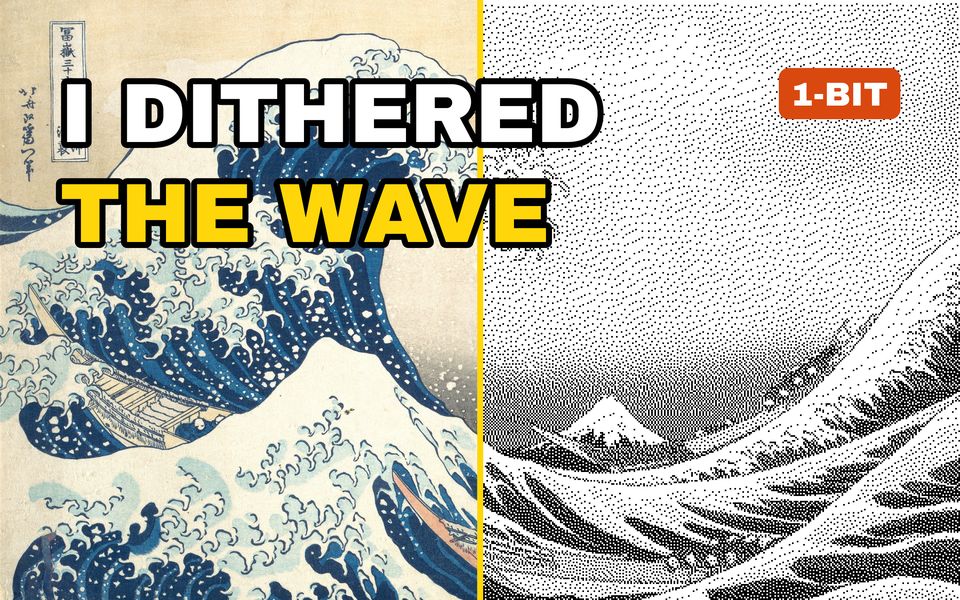
Need another exact size? The image compressor hits any file size, and compress to 2 MB keeps the original dimensions. Streamers can make emotes with the Twitch emote resizer, and the dither studio made the 1-bit half of the sample.
Frequently asked questions
What size should a YouTube thumbnail be?
YouTube recommends 3840×2160 px (16:9) with a minimum width of 640 px. The file must be under 2 MB if you upload from the mobile app, or under 50 MB from YouTube Studio on a computer. JPG and PNG both work (YouTube Help, October 2026).
Is a YouTube thumbnail 1280×720 or 1920×1080?
Either works. Both are 16:9 and above the 640 px minimum. 1280×720 was the long-standing recommendation, but YouTube's help page now recommends 3840×2160 and says to make the thumbnail as large as possible.
How do I get my YouTube thumbnail under 2 MB?
Save it as JPG instead of PNG and lower the quality only as much as needed. This tool does that automatically and keeps the full 3840×2160, 1920×1080 or 1280×720 size. The 2 MB limit applies to uploads from the YouTube app; YouTube Studio on a computer accepts up to 50 MB.
Why can't I upload a custom thumbnail at all?
YouTube only lets verified accounts upload custom thumbnails, and Shorts thumbnails can only be added in YouTube Studio on a computer. YouTube also says limits can vary by country or region and channel history, and that Community Guidelines strikes affect how many custom thumbnails you can upload.
What size is a YouTube Shorts thumbnail?
YouTube recommends 2160×3840 px (9:16) with a minimum height of 640 px. Tick the Shorts option to make one. Check the crop position, because a 16:9 design loses most of its width when it is cropped to 9:16.
Will resizing make my thumbnail blurry?
Downsizing doesn't. Upscaling a small image does, because it can't add detail. If your source is smaller than 3840 px wide, the tool says the larger sizes are upscaled. Export from your editor at 3840×2160 to avoid it.
Are my images uploaded?
No. Everything runs in your browser with the Canvas API. Your image never leaves your device.
Is it free?
Yes. One thumbnail at a time, every size, ZIP download, no signup and no watermark. Gridloom Pro adds batch mode: drop several thumbnails and get every size of each in one ZIP.