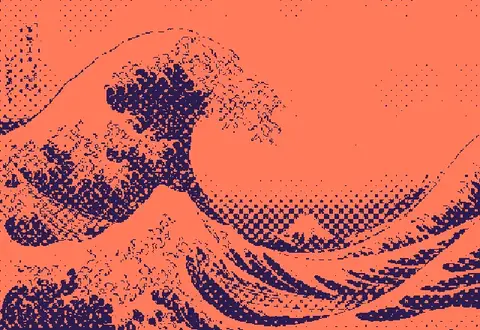
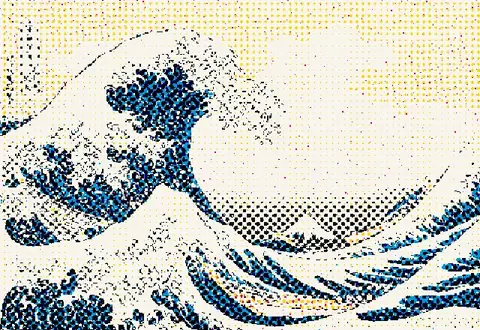
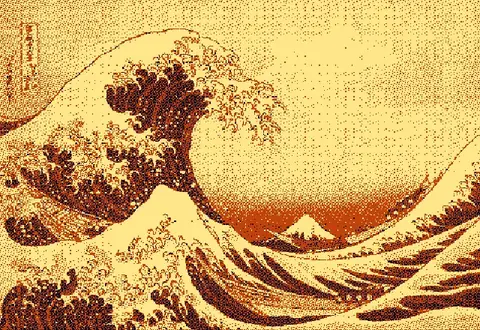
How to use it
23 algorithms, including diamond, line, crosshatch and halftone-shape screens, Riemersma and blue noise. Full palette control, Lospec import, curves and stackable ink layers. Live preview, nothing uploaded.
- Open or drop an image or video.
- Pick a preset, or choose from 23 algorithms: error diffusion, ordered, and pattern screens like diamond, lines and halftone shapes.
- Edit the palette, import from Lospec or a .gpl file, and choose how colors are matched (OKLab, Lab, RGB).
- Shape the tone with levels, curves, sharpen and edge enhance, and stack layers with blend modes.
- Export PNG, or SVG, separations, GIF and video with Pro. Share your exact settings as a link.
Algorithms included
Error diffusion: Floyd–Steinberg, Atkinson, Jarvis–Judice–Ninke, Stucki, Burkes, Sierra (3-row, 2-row, Lite), Fan, Shiau–Fan, 1-D, a variable-coefficient diffuser in the style of Ostromoukhov, and Riemersma (Hilbert curve). All have adjustable error strength, serpentine scanning and noise jitter. Ordered: Bayer 2×2 to 16×16, void-and-cluster blue noise and white noise. Pattern screens: halftone with circle, square, ellipse, diamond, line or cross dots, plus diamond, lines and crosshatch at any angle and frequency, radial rings, spiral, and threshold matrices you draw yourself.
Frequently asked questions
What is the best dithering algorithm?
There is no single best. Floyd–Steinberg and Jarvis–Judice–Ninke keep the most detail, Atkinson has a crisp high-contrast look, blue noise looks organic and animates well, and pattern screens (diamond, lines, halftone) are a deliberate graphic style. Try the presets, then fine-tune.
What's the difference between Floyd–Steinberg and Atkinson?
Floyd–Steinberg spreads all of each pixel's error to its neighbours, giving smooth gradients. Atkinson (used on the original Macintosh) spreads only 75%, producing higher contrast and cleaner highlights.
When should I use Bayer or blue noise?
Ordered dithers like Bayer give a regular crosshatch texture that looks retro and compresses well; blue noise looks organic with no visible pattern and is ideal for animation because it doesn't 'crawl'.
Can I separate colors for risograph or screen printing?
Yes. Add one layer per ink, set each layer's source to a CMYK or RGB channel, give it its own ink color, algorithm and screen angle, and add offsets to mimic misregistration. Pro exports each layer as its own black-and-white file, ready for the drum or screen.
Can I export SVG?
Yes, on Pro. The SVG merges runs of same-colored pixels into compact paths — useful for laser engraving, plotters and screen printing.
Are my files uploaded?
Never. All processing happens locally in your browser, including video.
Can I dither a video or make a GIF?
Load a video to preview it live; Pro exports animated GIF and WebM entirely in your browser.