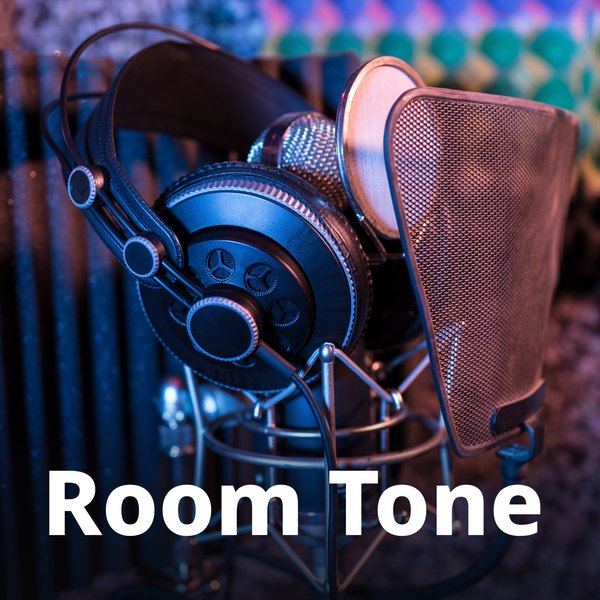
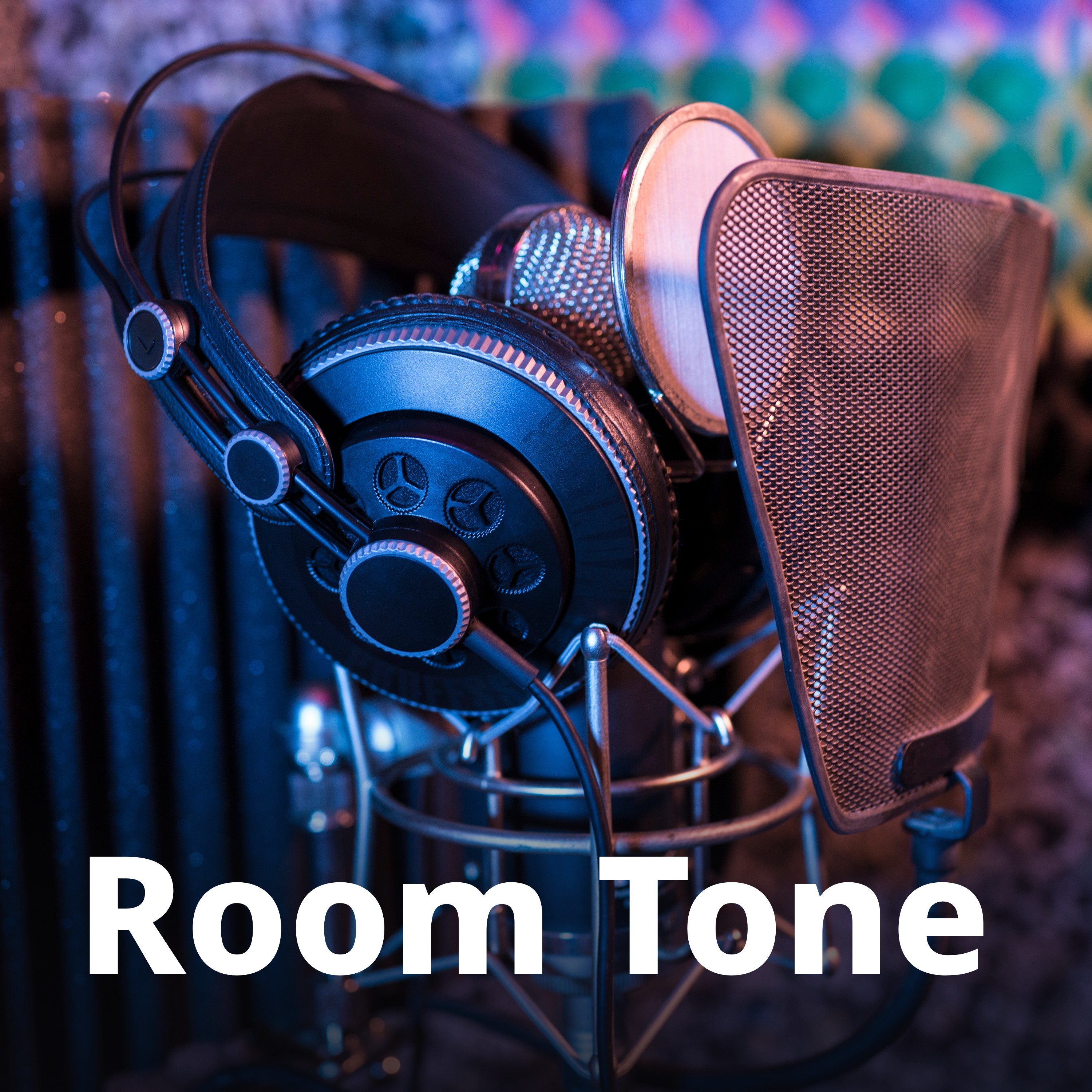
How to make podcast cover art
Apple and Spotify both want square art, and the safest file is the same for both: 3000 × 3000, JPG or PNG, RGB, no transparency. This page crops or fits your image to that, adds your show title if you want it, checks the saved file, and shows it at the small sizes listeners actually see.
- Drop an image. A sample cover is already made from a CC0 studio photo, so you can see the result first.
- Choose show cover or episode art, and a size: 3000×3000 is what Apple prefers; 1400×1400 is its minimum.
- Crop and move the square, or fit the whole image on a blurred copy or a colour. Type your show title, or switch the text off.
- Check the file checks and the small-size previews, download, and give the file to your host (or upload it in Spotify for Creators).
What Apple and Spotify say about cover art (read October 25, 2026)
| What | Their words | Source |
|---|---|---|
| Apple: show cover size | “3000 x 3000 pixels. If submitting a Show Cover via RSS feed, Apple Podcasts accepts Show Cover artwork ranging from 1400 x 1400 to 3000 x 3000 pixels. The largest size is preferred.” | Apple Podcasts for Creators: Show Cover |
| Apple: file type and transparency | File export type “PNG or JPG”. “Show Covers cannot contain transparency and should not contain an alpha channel.” | Apple Podcasts for Creators: Show Cover |
| Apple: the RSS rule | “Artwork must be a minimum size of 1400 x 1400 pixels and a maximum size of 3000 x 3000 pixels, in JPEG or PNG format, 72 dpi, with appropriate file extensions (.jpg, .png), and in the RGB colorspace.” “Confirm your art does not contain an Alpha Channel.” “Make sure the file type in the URL matches the actual file type of the image file.” | Apple Podcasts Connect: A Podcaster’s Guide to RSS |
| Apple: episode art | “3000 pixels x 3000 pixels. If you’re submitting your episode via RSS feed, Apple Podcasts accepts episode artwork ranging from 1400 x 1400 to 3000 x 3000 pixels. The largest size is preferred.” “If you don’t supply Episode Art, Apple Podcasts will display your Show Cover artwork.” Placements: “Now Playing, Lock Screen, Control Center, Home, show and episode pages” | Apple: Episode Art |
| Apple: colour errors | Under “Colorspace not supported”: “Apple currently only supports image files that use RGB colorspace.” | Apple: Troubleshoot artwork issues |
| Apple: changing your art | “Our system automatically detects and updates it on Apple Podcasts within 24 hours.” If it doesn’t update, make sure the new file “Has a different filename than the previous one.” The RSS guide: “Change the artwork file name and URL at the same time” | Apple: Troubleshoot artwork issues; Apple Podcasts Connect: A Podcaster’s Guide to RSS |
| Apple: file names | “Use only ASCII filenames and URLs that include a-z, A-Z, or 0-9.” | Apple: Podcast RSS feed requirements |
| Apple: what gets rejected | “Blurry, misaligned, pixelated, or poor quality images that are clearly not part of a visual style or creative direction may be rejected.” “Your artwork may be rejected if it includes any visual representations of Apple.” | Apple: Artwork Policies; Apple Podcasts for Creators: Show Cover |
| Apple: design advice | “Aim for artwork that helps them quickly identify key information about your show, like the title and host.” “If your background is black or white, consider using a slightly different color value so your Show Cover doesn’t blend into the app background.” The RSS guide: “make sure your design is effective at both its original size and at thumbnail size” | Apple Podcasts for Creators: Show Cover; Apple Podcasts Connect: A Podcaster’s Guide to RSS |
| Spotify: delivery spec | “Podcast images need to have a fully squared (1:1) aspect ratio.” “Preferably they should always be delivered in the highest resolution available to allow for all Spotify screen sizes.” “Accepted formats in order of preference are: TIFF, PNG or JPEG.” | Spotify Podcast Delivery Specification v1.10 (May 2025), linked from Spotify for Creators: Podcast specification doc |
| Spotify: episode images | “Should be a 1:1 dimensioned image in high resolution representing the particular episode.” “When omitted on the item level the channel level will be used instead.” | Spotify Podcast Delivery Specification v1.10 (May 2025) |
| Spotify: importing a show | “Ensure the image files for your show and episode art are in .jpg, .png or .gif format, and no more than 3000 x 3000px.” | Spotify for Creators: Importing your episodes from another host |
| Spotify for Creators: uploading | “Changes to your cover art typically reflect within 24 hours.” “If you don't host with Spotify, check with your host about how to add cover art.” “By default, your episodes use the same cover art as your show, but you can upload custom artwork to each episode if you like.” “Not all platforms display individual episode artwork; some always use your show's main artwork.” “You can only update episode cover art on Spotify for Creators web.” “Once you’ve added custom artwork to an episode, you can't remove it completely.” | Spotify for Creators: Uploading cover art |
| Spotify: design advice | “For the best visual quality, aim for dimensions between 1400x1400 to 3000x3000 pixels, keeping a ratio of 1:1.” “Keep your text limited to the title of your show” “Limit yourself to using no more than two fonts.” | Spotify for Creators: The dos and don’ts of show art |
Help pages read in Chrome, signed out; Spotify’s delivery spec read as the PDF its help page links to. Gridloom isn’t affiliated with Apple or Spotify.
Apple’s templates, opened
Apple’s Show Cover and Episode Art pages both tell you to use their template so your art sits “within the art safe area”. We downloaded both ZIPs on October 25, 2026 and read the guide layers in the Photoshop files (3000 × 3000, RGB):
- Show cover (
Show_Cover-Show_Name.psd): theArt Safe Arealayer covers the whole 3000 × 3000 square. There is no inset, so a show cover can use every pixel. - Episode art (
Episode_Artwork-Episode-Name.psd): the green ART SAFE AREA is an odd shape inside a 70 px margin, and a yellow UI AREA fills the rest. In 3000 px coordinates the safe area runs from (70, 70) to (1210, 70), down to y 258, across to x 2930, down to y 2150, back to x 850, up to y 1480 and back to x 70. So the top-right strip (above y 258), the whole bottom band (below y 2150) and the lower-left block (x 70–850, below y 1480) are UI area.
Tick Show the safe area to see that shape on your art. In episode-art mode it’s on by default, and if you add text the tool checks that the text stays inside the green part.
Where the sources don’t agree
- Text on episode art. Apple’s Episode Art page: “Avoid using your podcast logo or any text in the artwork.” Apple’s own RSS guide, about the same
itunes:imagetag: “You should include a title, brand, or source name as part of your episode artwork.” We follow the Episode Art page (it’s the one with the template), so episode art has no text unless you switch it on. - Text on the show cover. Apple suggests showing “key information about your show, like the title and host.” Spotify says “Keep your text limited to the title of your show”. The tool shows the title and leaves the host line empty; fill it in if you follow Apple.
- Logos. Spotify’s show-art guide says “Feature your podcast logo prominently in your cover art”, Apple’s Show Cover page says to “limit additional text or logos”, and Apple’s Episode Art page says to avoid your logo altogether.
- Largest size. Apple’s RSS rule stops at 3000 × 3000 and Spotify’s import tips say “no more than 3000 x 3000px”, but Spotify’s delivery spec asks for “the highest resolution available” with no limit. 3000 × 3000 satisfies all three, so that’s the largest size here.
- Smallest size. Apple’s minimum is 1400 × 1400. Spotify’s delivery spec gives no minimum; the 1400 figure on Spotify’s side is in its show-art guide, not in the help articles or the spec we read.
- File type. Apple takes JPEG or PNG. Spotify’s spec prefers TIFF, then PNG, then JPEG; its import tips allow .jpg, .png or .gif. Only JPG and PNG work for both, so those are the two choices here. Spotify ranks PNG above JPEG, but a PNG of a photo is several times bigger.
- 72 dpi and RGB. Only Apple’s RSS guide and troubleshooting page mention them; the Show Cover and Episode Art pages and the Spotify pages we read don’t. Writing 72 dpi into the file does no harm, so the tool does it.
How small your art gets: measured on the web apps
Signed out in Chrome on October 25, 2026, on the show pages of Dan Carlin’s Hardcore History and The Daily and on Apple’s Top Charts, at 1366 px (laptop) and 390 px wide (phone, iPhone browser, 3× screen). File is the copy the site downloaded for that spot. Corner radii were read with Chrome’s own browser name at the same widths.
| Where | Laptop (1366 px) | Phone (390 px) |
|---|---|---|
| Apple Podcasts, show page (podcasts.apple.com) | 256 × 256, 14 px corners · file 400 × 400 | 240 × 240, 14 px corners · file 800 × 800 |
| Apple Podcasts, episode list row | 90 × 90, 5 px corners · file 120 × 120 | 90 × 90, 5 px corners · file 240 × 240 |
| Apple Podcasts, Top Charts tile | 189 × 189, 7 px corners · file 250 × 250 | 144 × 144, 7 px corners · file 500 × 500 |
| Spotify, show page header (open.spotify.com) | 223 × 223, 4 px corners | 112 × 112 · file 300 × 300 (128 × 128, 4 px corners, with a non-iPhone browser) |
| Spotify, episode list row | 99 × 99 | 48 × 48 · file 390 × 390 (56 × 56, 4 px corners, with a non-iPhone browser) |
The smallest spot was 48 × 48 px, in Spotify’s episode list on a phone. At that size a 3000 px cover is shrunk 62 times, so a title has to be big: the sample’s title is set in 450 px type in the file and comes out at about 7 px in that row. The tool shows your title’s height at 48 px and warns below 5 px (our cut-off, not Apple’s or Spotify’s). Neither company serves your 3000 px file in these places; they send their own smaller copies, which is another reason to start from a large, sharp original.
What the tool checks in the file
After it saves your art, the tool reads the file back and checks: square and between 1,400 and 3,000 px; JPEG or PNG with the matching extension; RGB with no alpha channel (a JPEG with 3 channels, or a PNG written as colour type 2; the browser’s own PNG export always has an alpha channel, so this page writes the PNG itself); 72 dpi in the JFIF or pHYs header; a file name of only letters and digits with a new time stamp each time (for example roomtonecover3000x3000v202610251730.jpg), so the URL changes when you replace your art; whether your image had to be enlarged; and whether the edges are almost pure white or black (90% of the outer 3% at 245 or more, or 10 or less, on every channel; our threshold).
The sample, measured
What this page’s tool made from the sample photo in Chrome on October 25, 2026. JPG at quality 90.
| Setting | File | Bytes |
|---|---|---|
| Show cover, title at the bottom on a dark fade (the art above) | 3000×3000 JPEG | 1,512,457 |
| Same, 2400 px | 2400×2400 JPEG | 956,207 |
| Same, 1400 px (Apple’s minimum) | 1400×1400 JPEG | 373,710 |
| Same, as PNG (RGB, no alpha) | 3000×3000 PNG | 10,185,076 |
| Episode art, no text | 3000×3000 JPEG | 1,657,389 |
| Whole photo fitted on a blurred copy | 3000×3000 JPEG | 1,243,724 |
Sample: Headphone Microphone Madrid by WillSpirit SBLN (Unsplash), CC0 (Creative Commons Zero, Public Domain Dedication), via Wikimedia Commons; converted from Adobe RGB to sRGB and cropped to 3600 × 3000. Room Tone and Dana Ruiz are made up for the example. None of the companies whose pages we quote have published a file-size limit for cover art in those pages.
.jpg)
What we did not check
- The iPhone, iPad, Mac and Android apps. The sizes above are from the two web apps; Apple’s list of placements (“Now Playing, Lock Screen, Control Center, Home, show and episode pages”) is mostly inside its apps, which we didn’t measure.
- Uploading. We didn’t submit art to Apple Podcasts Connect, Spotify for Creators or any podcast host, so we haven’t seen what their checks say about these files. Hosts set their own rules and file-size limits; we didn’t read any host’s pages.
- Apple’s other placements (Full Page Show Art, chapter art, Showcase Hero, channel and subscription art), TIFF files, video podcasts and YouTube.
What this tool doesn’t do
It doesn’t log in anywhere or upload your art; you download the file and give it to your host, or upload it in Spotify for Creators. It doesn’t draw logos or generate images with AI: it crops and lays out an image you choose and adds your title. It isn’t affiliated with Apple or Spotify. For playlists, the Spotify playlist cover maker makes 640×640 covers; for video episodes, the YouTube thumbnail resizer and the YouTube banner resizer.
Frequently asked questions
What size should podcast cover art be?
3000 × 3000 pixels, square. Apple’s Show Cover page asks for 3000 x 3000 and accepts 1400 x 1400 to 3000 x 3000 through an RSS feed; Spotify’s delivery spec asks for “a fully squared (1:1) aspect ratio” in the highest resolution available, and its import tips cap art at 3000 x 3000. One 3000 × 3000 JPG or PNG works for both.
What is the minimum size for podcast artwork?
1400 × 1400 pixels for Apple Podcasts: “Artwork must be a minimum size of 1400 x 1400 pixels and a maximum size of 3000 x 3000 pixels”. Spotify’s delivery spec has no minimum, only “the highest resolution available”.
What size is Spotify podcast cover art?
Spotify’s delivery spec doesn’t give a pixel size: images must be square and “in the highest resolution available”. Its import tips say no more than 3000 x 3000px, and its show-art guide suggests 1400x1400 to 3000x3000. So 3000 × 3000 is the safe size.
What are Apple Podcasts artwork requirements?
Square, 1400 × 1400 to 3000 × 3000 pixels (3000 preferred), JPEG or PNG with the right extension, 72 dpi, RGB, and no transparency or alpha channel. Apple can also reject art that is blurry or pixelated or that shows Apple logos or hardware.
Should podcast cover art be JPG or PNG?
Either works for Apple (“PNG or JPG”). Spotify’s spec ranks them “TIFF, PNG or JPEG”, so PNG comes before JPEG, but a 3000 px PNG of a photo is many megabytes. The tool’s JPG at quality 90 is smaller; its PNG is written as RGB without an alpha channel.
Does podcast artwork need to be 72 dpi?
Apple’s RSS guide says “72 dpi”; its Show Cover and Episode Art pages and Spotify’s pages don’t mention dpi. Only the pixel size changes how the art looks, but the tool writes 72 dpi into every file anyway.
Why is my Apple Podcasts artwork not updating?
Usually because the image URL didn’t change. Apple’s troubleshooting page says the new file should have “a different filename than the previous one”, and that changes show up “within 24 hours”. Every download from this page gets a new letters-and-digits file name with a time stamp.
What does “Alpha Channel not supported” mean?
Apple found transparency in your file. Show covers “cannot contain transparency and should not contain an alpha channel.” This tool fills transparent areas with a colour, and its PNG is saved without an alpha channel.
What does “Colorspace not supported” mean?
Your file isn’t RGB, often a CMYK file from print software. “Apple currently only supports image files that use RGB colorspace.” Every file from this page is RGB.
What size is podcast episode art?
The same as the show cover: Apple’s Episode Art page says 3000 x 3000 and accepts 1400 x 1400 to 3000 x 3000 through RSS. Apple’s episode template keeps the bottom band and two corners for the app’s own interface; the tool can show that safe area on your art.
Should podcast episode art have text on it?
Apple contradicts itself. Its Episode Art page says “Avoid using your podcast logo or any text in the artwork.”, while its RSS guide says to include a title, brand or source name. The tool leaves episode art without text unless you switch it on.
How small does podcast art show in the apps?
On the web apps we measured, as small as 48 × 48 px (Spotify’s episode list on a phone) and 90 × 90 px (Apple’s episode list). Show pages draw it at about 112 to 256 px. The previews on this page show your art at those sizes.
Can podcast artwork be a GIF or TIFF?
Apple takes only JPEG or PNG. Spotify’s spec accepts TIFF and its import tips accept .gif, but a file that has to work everywhere should be JPG or PNG. The tool saves only those two; a GIF you open becomes its first frame.
Is this podcast cover art maker free?
Yes. Show covers and episode art at 3000, 2400 or 1400 px, JPG or PNG, download free with no watermark and no sign-up, and your image stays in your browser. Pro ($5 for 30 days, paid in USDC) adds the episode art kit: one ZIP with the show cover, episode art for many photos and the feed tags.