How to resize a photo for Instagram without cropping
Instagram keeps a photo as it is only when it is between 1.91:1 and 3:4; anything else gets cropped, and the profile grid shows only the middle of each post. This page fits your whole photo into the shape you choose at 1080 px wide, previews it in the feed and on a grid, and can cut a wide photo into carousel slides.
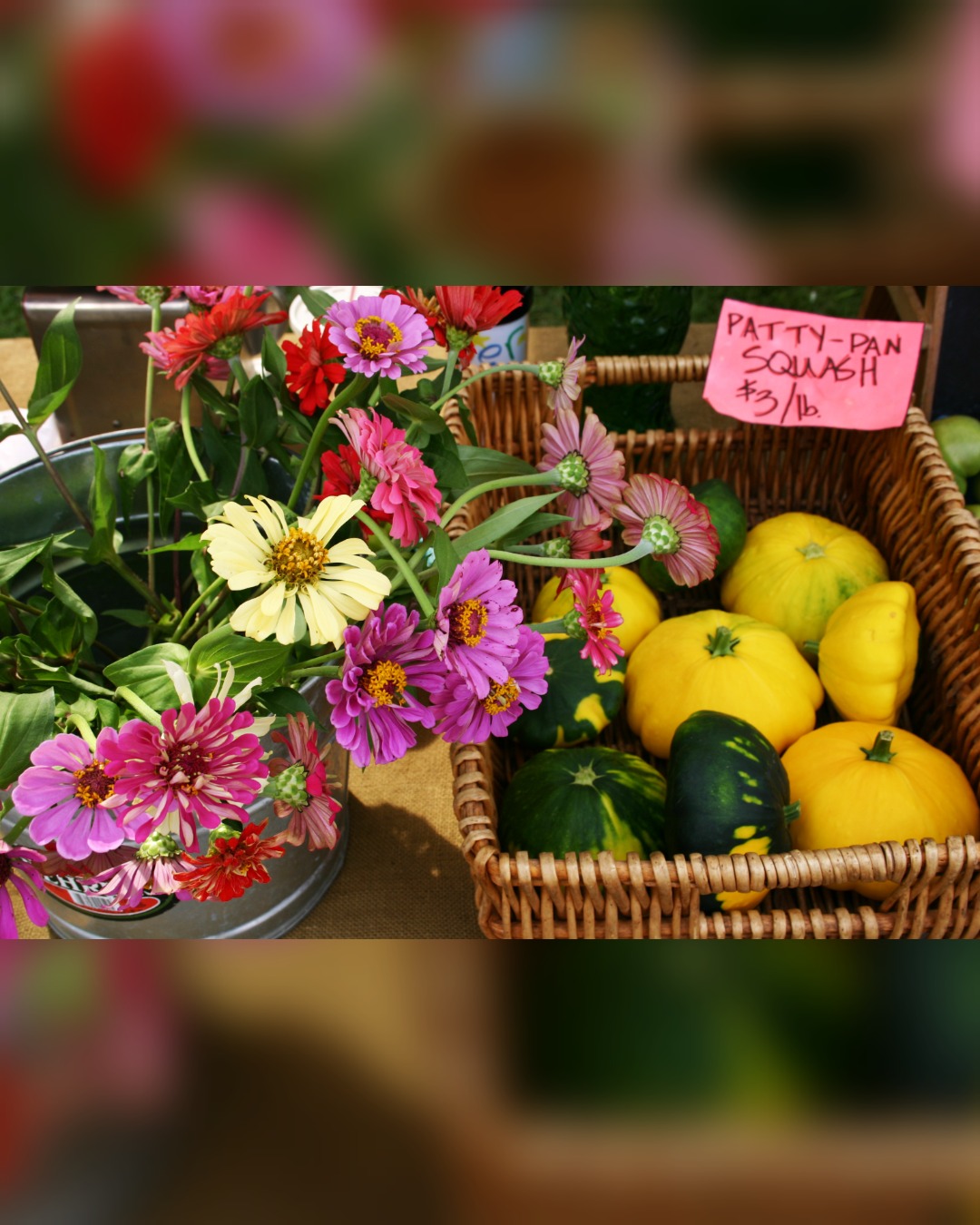
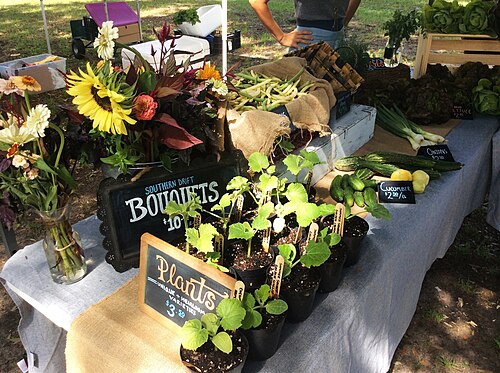
- Drop a photo. A sample post is already made from a CC0 farmers-market photo, so you can see the result first.
- Pick a shape: 4:5 (1080×1350) works everywhere, 3:4 (1080×1440) is the tallest the app takes, or keep the photo’s own shape if Instagram allows it.
- Keep “Fit the whole photo” to lose nothing (blurred, white, black or coloured bars), or crop to fill. For a swipeable panorama, cut it into carousel slides.
- Check the Feed and Profile grid previews, download, and post from the Instagram app; for carousels, add the slides in their numbered order.
What Meta says about Instagram photo sizes (read October 25, 2026)
Quoted word for word from Meta’s own pages, read in a browser on October 25, 2026, signed out. The three pages don’t agree; the differences are listed under the table.
| What | Meta’s words | Source |
|---|---|---|
| Width | “we make sure to upload it at the best quality resolution possible (up to a width of 1080 pixels).” | Instagram Help Center: Image resolution of photos you share on Instagram |
| Shapes kept as they are | “we keep that photo at its original resolution as long as the photo's aspect ratio is between 1.91:1 and 3:4 (a width of 1080 pixels with a height between 566 and 1440 pixels).” “If the aspect ratio of your photo isn't supported, it will be cropped to fit a supported ratio.” | Instagram Help Center: Image resolution of photos you share on Instagram |
| Small and large photos | “If you share a photo at a lower resolution, we enlarge it to a width of 320 pixels. If you share a photo at a higher resolution, we size it down to a width of 1080 pixels.” | Instagram Help Center: Image resolution of photos you share on Instagram |
| File types (app, computer) | “The supported file formats are jpg, png and heic/heif.” | Instagram Help Center: Post a photo |
| Carousels | “You can share a post with up to 20 photos and videos as a single post, also known as a carousel, to your Instagram feed.” “Keep in mind that the orientation you choose (square, portrait or landscape) affects all of the photos or videos in your post.” “In your profile, you’ll see the first photo or video from your carousel” | Instagram Help Center: Share a post with multiple photos or videos on Instagram |
| Instagram API (scheduling tools) | “Format: JPEG” “File size: 8 MB maximum.” “Aspect ratio: Must be within a 4:5 to 1.91:1 range” “Minimum width: 320 (will be scaled up to the minimum if necessary)” “Maximum width: 1440 (will be scaled down to the maximum if necessary)” “Color Space: sRGB. Images using other color spaces will have their color spaces converted to sRGB.” | Instagram Platform: IG User Media reference |
| Feed ads | “Image File Type: JPG or PNG” “Ratio: 4:5” “Resolution: 1440 x 1800 pixels” “Maximum File Size: 30MB” “Minimum Width: 500 pixels” “Minimum Aspect Ratio: 400 x 500” “Maximum Aspect Ratio: 191 x 100” | Meta Ads Guide: Instagram Feed image |
The Help Center article was the same on help.instagram.com and on facebook.com/help. Gridloom is not affiliated with Meta or Instagram.
Where Meta’s pages don’t agree
- 3:4 or 4:5? The Help Center says the app keeps photos as tall as 3:4 (1080×1440). The Instagram API, which scheduling tools post through, says “Must be within a 4:5 to 1.91:1 range”, and the ads guide’s tallest shape is “400 x 500”, also 4:5. So a 1080×1440 file is right for the app but may be refused or cropped by a scheduler. The tool’s default is 4:5 (1080×1350) because all three pages accept it; 3:4 is one click away.
- 1080 or 1440 pixels wide? The Help Center says photos are sized down “to a width of 1080 pixels”. The API page gives a “Maximum width: 1440”, and the ads guide recommends “1440 x 1800 pixels”. We didn’t post anything (no account), so we can’t tell you what Instagram keeps from a 1440-wide upload. Every photo file Instagram’s public profile embed served us was 1080 wide (table below). The tool makes 1080-wide files.
- File size and type. The Help Center gives no file-size limit and lists jpg, png and heic/heif. The API takes JPEG only, up to “8 MB maximum”; ads take JPG or PNG up to “30MB”. The tool’s JPGs are far below 8 MB (see the sample table) and it warns if a PNG passes 8,000,000 bytes.
- Landscape height. 1080 ÷ 1.91 is 565.4, and the Help Center rounds it to 566. The tool’s landscape size is 1080×566.
Instagram grid size: what we could and couldn’t check
None of Meta’s pages above gives the shape of the tiles on a profile grid, and instagram.com sends a signed-out browser to the login page instead of showing a profile, so we could not measure the grid people see in the app. Third-party guides disagree. Hopper HQ: “Every tile now shows at 3:4, so a post's shape decides how much of it survives on your profile.” (Hopper HQ: Instagram grid planner) Buffer lists “Grid preview: 1080 x 1350 px (4:5)” for photo posts and “Grid preview: 1080 x 1440 px (3:4)” for Reels in the same list (Buffer: What You Need to Know About the Instagram Grid Changes), which can’t both be the tile shape of one grid. When the change rolled out, Instagram’s head Adam Mosseri said: “The vast majority of what is uploaded to Instagram today is vertical. It’s either 4 by 3 in a photo or 9 by 16 in a video, and cropping it down to square is pretty brutal.” (PetaPixel, January 23, 2025)
What we could measure is Instagram’s public profile embed (instagram.com/account/embed/), which loads signed out. At a 540 px wide frame it drew the latest posts of NASA and National Geographic as square tiles, 179.33 CSS px each, three across, with the photo filling the tile from its middle (object-fit: cover). The files it loaded:
| Account | File Instagram served | What it was |
|---|---|---|
| NASA | 1080×720 | 3:2 image |
| NASA | 1080×608 | 16:9 image |
| NASA | 1080×720 | 3:2 image |
| NASA | 720×1280 | 9:16 image |
| NASA | 1080×1080 | square image |
| NASA | 720×1280 | 9:16 image |
| National Geographic | 1080×1920 | 9:16 image (×4) |
| National Geographic | 572×1018 | 9:16 image |
| National Geographic | 1080×720 | 3:2 image |
Every image that wasn’t 9:16 came back exactly 1,080 px wide whatever its shape, which fits the Help Center’s 1080 limit. The 9:16 ones look like Reel covers, which this page doesn’t cover. Because the tile shape is uncertain, the Profile grid preview lets you switch between 3:4, square and 4:5, and the caption under it says exactly how many pixels each shape hides. For this tool’s default 1080×1350 post: the middle 1,013 × 1,350; 34 px hidden at each side on a 3:4 tile; the middle 1,080 × 1,080; 135 px hidden at the top and at the bottom on a square tile.
How to post a whole photo without Instagram cropping it
Instagram crops only when a photo is wider than 1.91:1 or taller than 3:4. A 4:3 or 3:2 landscape photo is inside that range, so you can post it as it is: in the crop step, pick the photo’s own size rather than square (Meta’s computer steps: “Select the size of your photo, then click Next in the top right.”). If you want a portrait post that fills more of the screen, put the photo inside a 4:5 or 3:4 frame with bars, which is what this tool does by default. A blurred copy of the photo makes bars that blend in; white gives the classic white border, and the Border slider adds the same margin all round.
Carousels: the shape you pick “affects all of the photos or videos in your post”, so make every slide the same size. To swipe across one wide panorama, set Carousel to 2 or 3 slides (free) or up to 10 (Pro); the tool fits or crops the photo into one long strip, cuts it at exact 1,080 px steps and names the files 1-of-N, 2-of-N so they upload in order. Instagram allows up to 20 items in one carousel.
The sample, measured
Every size below is what this page’s tool made from the sample photo (CC0, 3072×2048) in Chrome on October 25, 2026, JPEG quality 92 unless noted.
| Setting | File | Bytes |
|---|---|---|
| Default: 4:5, fit whole photo, blurred bars | 1080×1350 JPEG | 288,165 |
| 3:4, fit, blurred bars | 1080×1440 JPEG | 291,322 |
| Square, fit, blurred bars | 1080×1080 JPEG | 270,638 |
| 1.91:1 landscape, fit, blurred bars | 1080×566 JPEG | 178,710 |
| Original shape (3:2, nothing added) | 1080×720 JPEG | 241,482 |
| 4:5, white bars, 5% border | 1080×1350 JPEG | 226,098 |
| 4:5, crop to fill | 1080×1350 JPEG | 346,540 |
| 4:5 as PNG | 1080×1350 PNG | 2,343,722 |
| Carousel, 2 slides, 4:5, crop to fill | 2 × 1080×1350 JPEG | 639,761 (all slides) |
What we did not check
- Posting: we didn’t log in or post, so Instagram’s own crop screen and the file it stores from your upload weren’t tested.
- The profile grid in the app and on instagram.com (login required), and the “Adjust preview” option some guides describe; Meta’s Help Center search returned no article for it.
- Stories, Reels and profile pictures: this page is for feed photo posts only.
What this tool doesn’t do
It doesn’t log in to Instagram or post anything; you download the files and post them yourself. It makes still images (a GIF becomes its first frame). It isn’t affiliated with or endorsed by Meta. Other sizes: the Pinterest image resizer (1000×1500 pins), the Facebook cover photo resizer, the profile picture resizer and the Etsy listing photo resizer.
Frequently asked questions
What size is an Instagram post?
1080 px wide, between 1080×566 (1.91:1) and 1080×1440 (3:4). Meta’s Help Center says Instagram keeps a photo “as long as the photo's aspect ratio is between 1.91:1 and 3:4 (a width of 1080 pixels with a height between 566 and 1440 pixels)”. 1080×1350 (4:5) is the safest portrait size because the app, the Instagram API and feed ads all accept it.
Is an Instagram post 1080×1350 or 1080×1440?
Both work in the app. The Help Center allows up to 3:4 (1080×1440). The Instagram API that scheduling tools use says “Must be within a 4:5 to 1.91:1 range”, so 1080×1440 can be refused or cropped there. Post 1080×1440 from the app; use 1080×1350 if you schedule.
How do I post a full picture on Instagram without cropping?
If the photo is between 1.91:1 and 3:4, choose its own size instead of square in Instagram’s crop step and nothing is cut. To make it portrait without cutting anything, put it in a 1080×1350 or 1080×1440 frame with bars: this tool does that by default with blurred bars, or white, black or any colour.
What is the Instagram grid size?
Meta doesn’t publish it. Most current guides say profile tiles are 3:4 (a 1080×1440 post fills one), Buffer’s guide says 4:5 for photos, and Instagram’s public profile embed, which we measured, still draws square tiles. A 1080×1350 post loses about 34 px at each side on a 3:4 tile and 135 px at the top and bottom on a square tile; the grid preview here shows either.
What is the Instagram landscape photo size?
1080×566 (1.91:1) is the widest. Anything wider is cropped. A normal 3:2 photo can be posted as 1080×720 with nothing added, or fitted into a portrait 1080×1350 frame so it takes up more of the feed.
What size should Instagram carousel slides be?
Every slide the same size, because the shape you choose “affects all of the photos or videos in your post”. 1080×1350 per slide is the usual choice. For a panorama that swipes across, the whole strip is 2,160×1,350 for 2 slides, 3,240×1,350 for 3 and 5,400×1,350 for 5; the tool cuts it at exact 1,080 px steps. Instagram allows up to 20 items.
Why does Instagram keep cropping my photos?
Because the photo is wider than 1.91:1 or taller than 3:4 (“it will be cropped to fit a supported ratio”), or because a carousel’s first shape is applied to every slide. Make the file 1080 wide and within that range before you post and there is nothing for Instagram to cut.
Why are my Instagram photos blurry?
One common reason is size: Instagram sizes photos wider than 1080 px down to 1080, and enlarges anything narrower than 320 px. Upload 1080 px wide so it isn’t resized. Meta also suggests using the latest app and a phone with a good camera.
What is Instagram’s maximum photo resolution?
1080 px wide in the app, per the Help Center, so at most 1080×1440. Meta’s API page lists a 1440 px maximum width and the ads guide recommends 1440×1800, but every photo file Instagram served us from public profiles was 1080 wide.
How do I add a white border to an Instagram photo?
Choose “Fit the whole photo”, set Bars to White and move the Border slider: 5% gives a 54 px white margin on all four sides of a 1080-wide post, with the photo centred inside.
Can I post a PNG on Instagram?
From the app or a computer, yes: “The supported file formats are jpg, png and heic/heif.” The Instagram API only takes JPEG, so use JPG if you post through a scheduling tool. Transparent areas are filled with white in JPG.
Is this Instagram post resizer free?
Yes. Every shape, fit or crop, blurred, white or coloured bars, and carousels of 2 or 3 slides download free, with no watermark and no sign-up, and your photo stays in your browser. Pro adds carousels of 4 to 10 slides and several photos at once.