How to resize an image for Pinterest
Pinterest recommends one size for image pins, 1000 × 1500, and shows each pin at its own shape in a narrow feed column. This page crops or fits your photo to that size (or another shape Pinterest uses), adds a readable headline if you want one, and shows the result in a feed, as a whole file with safe zones, and as a board cover.
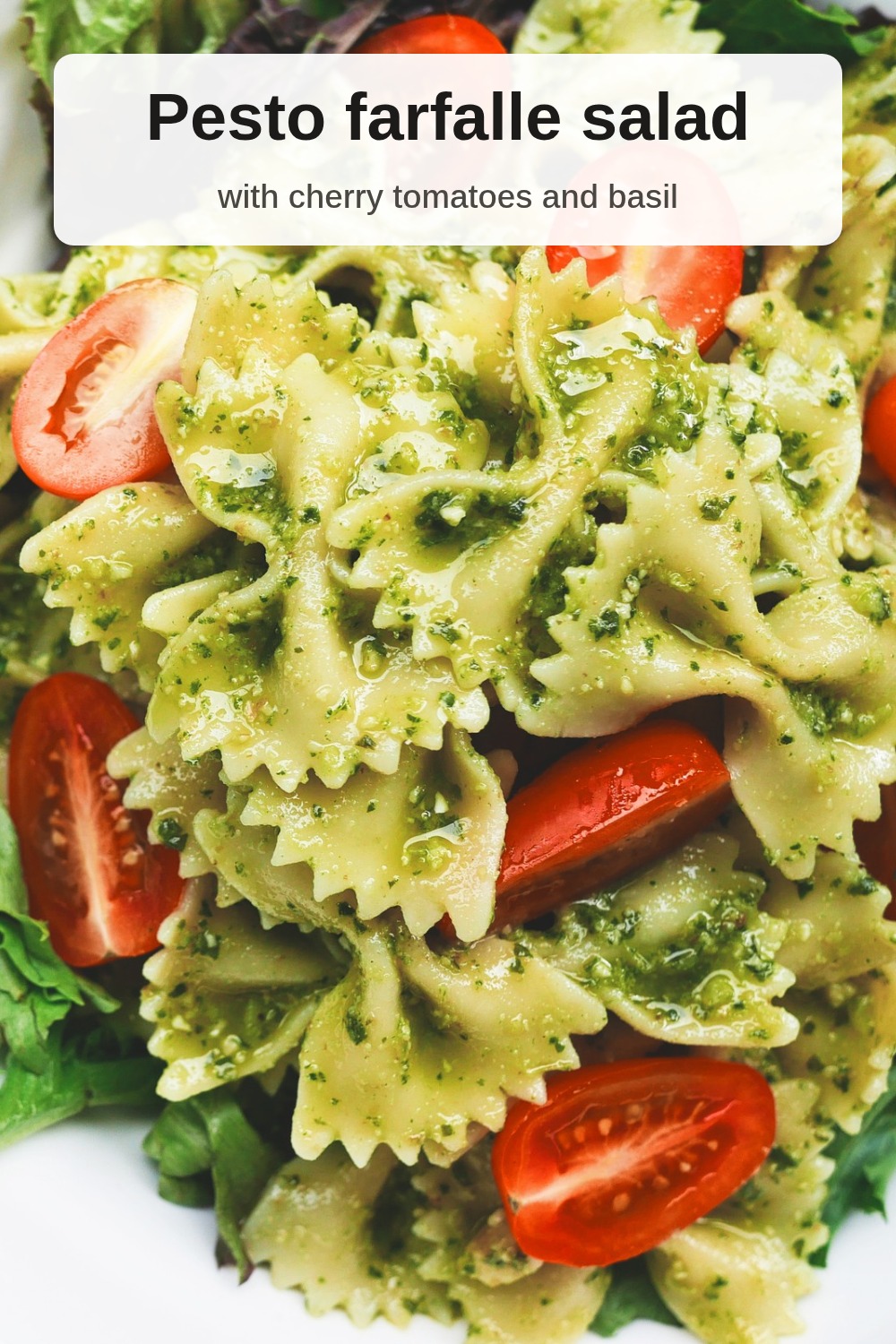
- Drop a photo. A sample pin is already made from a CC0 food photo, so you can see the result first.
- Pick a size: 1000×1500 (2:3) is what Pinterest recommends; square, 4:5, 3:4, 9:16, a 1:2 long pin and the 16:9 profile cover are one click away.
- Crop and move the frame so the subject stays in, or fit the whole photo with borders. Type a headline if you want text on the image.
- Check the feed, whole-file and board-cover previews, download, and create the pin on Pinterest. Put the Pin title in Pinterest’s title box.
What Pinterest says about pin sizes (read October 25, 2026)
Quoted word for word from Pinterest’s own help, business, creator and developer pages, read in a browser on October 25, 2026, signed out. They don’t all agree; the differences are listed under the table.
| What | Pinterest’s words | Source |
|---|---|---|
| Standard pin size | “We recommend using a 2:3 aspect ratio, or 1000 x 1500 pixels. Pins with an aspect ratio greater than 2:3 might get cut off in people's feeds.” | Pinterest Business Help: Review ad specs |
| Same advice, ads overview | “We recommend using a 2:3 aspect ratio, or 1000 x 1500 pixels. Pins that exceed a 2:4.2 width-height ratio will be truncated in people's feeds.” | Pinterest Business Help: Ads overview |
| Shapes Pinterest crops to | “Our flexible sizing tool can easily crop brand-new or existing content to 9:16, 2:3, 3:4, 4:5, 1:1.” “We recommend a 2:3 aspect ratio (1000 x 1500 pixels) for images and a 9:16 aspect ratio (1080 x 1920 pixels) for videos.” | Pinterest Create: Content creation on Pinterest |
| Organic image pins: files | “BMP, .JPEG, .PNG, .TIFF, .WEBP” “Web: 20 MB maximum” “Android and iOS: 1 GB recommended” | Pinterest Help: Review Pin specs |
| Safe zones | “Put text and other elements within the dimensions below so users can easily see on any device when viewing.” “Top: 270 px” “Left: 65 px” “Right: 195 px” “Bottom: 790 px” | Pinterest Help: Review Pin specs |
| White and black backgrounds | “Light mode: A faint black layer (#000000 at 4% opacity) is automatically applied on top of creative.” “Dark mode: A faint white layer (#FFFFFF at 10% opacity) is automatically applied on top of creative.” | Pinterest Help: Review Pin specs |
| Standard image ads: files | “.PNG or .JPEG” “Desktop 20 MB, In-app 32 MB” | Pinterest Business Help: Review ad specs |
| Colour and format | “All uploaded images are converted to standard 8-bit RGB JPEGs before being turned into Pins and ads. Advertisers should upload images in PNG with sRGB formats to avoid any reduction in image quality.” | Pinterest Business Help: Review ad specs |
| Carousels | “2 to 5 images per carousel” “1:1 or 2:3” “20 MB per image” | Pinterest Business Help: Review ad specs |
| Full screen (Idea ads) | “For full-bleed images and videos, or images and videos that extend to take up the entire screen, we recommend using 1080x1920 pixel size (9:16 ratio)” “Bottom: 440 px” | Pinterest Business Help: Review ad specs |
| Pin title | “Enter up to 100 characters. Depending on the device, the first 40 characters may show in people’s feeds.” | Pinterest Business Help: Review ad specs |
| Profile cover | “If you have a Pinterest business account, you can upload an image as your profile cover.” “at least 800 pixels wide x 450 pixels tall” “We recommend you use a horizontal image with a 16:9 aspect ratio” | Pinterest Business Help: Add a profile cover |
| Board cover | “The largest image when viewing the board from your profile.” | Pinterest Help: Edit a board |
| Pinterest API (scheduling tools) | Image uploads take “image/jpeg” or “image/png”; a multi-image pin takes “[2 ... 5] items”. | Pinterest API v5: Create Pin |
Gridloom is not affiliated with Pinterest. The API row is from the Create Pin reference with the media_source type switched to image_base64 and multiple_image_urls.
Where Pinterest’s pages don’t agree
- How tall is too tall? The ad specs say pins “greater than 2:3 might get cut off”. The ads overview, on the same help site, says pins are truncated only when they “exceed a 2:4.2 width-height ratio”, which is 1:2.1, much taller. The business site says “Larger aspect ratios may get cut off in people’s feeds.” In the signed-out search feed we checked (table below), pins up to 1:2.5 were drawn whole. We couldn’t check the signed-in home feed or the apps. The 1:2 long pin here is inside the 2:4.2 line; 2:3 is the only size every page recommends.
- The organic pin page gives no image size. “Review Pin specs” lists file types, sizes and safe zones for image pins but no ratio or pixel size today. The 1000 × 1500 advice comes from the ads pages, the business site and Pinterest Create.
- File size. Organic pins: “Web: 20 MB maximum”, and on phones “1 GB recommended”, which reads like a video number. Ads: “Desktop 20 MB, In-app 32 MB”; carousel cards “20 MB per image”. The tool warns if a file passes 20,000,000 bytes, the stricter way to count 20 MB. A 1000 × 1500 JPEG is nowhere near it (see the measured table).
- File types. Organic pins take BMP, JPEG, PNG, TIFF and WebP; standard image ads only PNG or JPEG; the API only image/jpeg or image/png. JPG and PNG work on all three, so those are the two the tool makes.
- Safe zones. The organic page gives a 790 px bottom margin, the Idea ads section 440 px, with the same top, left and right. Neither says what size of image the pixels refer to. We read them as pixels of a 1080 × 1920 full-screen pin, so the tool applies them only to 9:16 and marks both bottom lines in Whole file view.
- Carousels. The developer guide says “We've recently simplified our organic Pin formats to image or video Pins.” The ad specs say a carousel “Can be used in paid ad campaigns or to generate organic impressions”, and the API still accepts 2 to 5 images in one pin. We didn’t sign in, so we couldn’t check whether a regular account can still post a carousel from the app.
What we measured on pinterest.com
Signed out, in Chrome, on October 25, 2026. The search feed (pinterest.com/search/pins/) loads without an account; the home feed doesn’t.
| What | Measured | Page |
|---|---|---|
| Search feed, laptop (1366 px) | Pins 238 px wide, drawn at their own shape (object-fit: fill). Tallest: 238 × 595 from a 736 × 1840 original (1:2.5), shown whole; no pin cut off. | pinterest.com/search/pins/ |
| Ideas page, laptop (1366 px) | Pins 236 px wide; a 1000 × 2100 original (1:2.1) drawn whole at 236 × 495. | pinterest.com/ideas/ |
| Search feed, phone (390 px) | Two columns, pins 182 px wide; a 1:2 pin drawn whole at 182 × 364. | pinterest.com/search/pins/ |
| Image file sent for the feed | A copy 235–237 px wide (URLs with /236x/), whatever size was uploaded. | search and ideas pages |
| Board cover, laptop (1366 px) | Square tile 157 × 156 px next to two 77 px tiles; object-fit: cover; object-position 50% 0%, 50% 19.2%, 50% 50%, 50% 89.8% and 50% 98.6% on different boards. | pinterest.com/pinterest/ |
| Board cover, phone (390 px) | Square tile 87 × 86 px, same crop positions as on the laptop. | pinterest.com/pinterest/ |
So in the feed a pin is drawn at its own shape in a narrow column: about 236 px wide on a laptop and 182 px on a phone, and the file Pinterest sends for that column is a copy about 236 px wide. That is why small text on a pin is hard to read in the feed, and why the headline here starts at 74 px tall on a 1000 px pin (about 17 px in a 236 px column).
How to resize an image for Pinterest without losing the important part
A phone photo is usually 3:4 or 4:3 and a camera photo 3:2, so a 2:3 pin almost always means cropping. With Crop to fill, the Left ↔ right and Top ↕ bottom sliders move the frame so the subject stays in it (the sample is a landscape food photo with the plate on the right, so the frame starts at 86% across). If nothing can be cut, Fit the whole photo puts it on a 2:3 canvas with blurred, white, black or coloured borders, which is what Pinterest’s business site suggests: “You can easily repurpose square assets using borders or vertical imagery.”
Text: Pinterest suggests “stacking text overlay with key messaging at the top and extra details at the bottom”, so the headline sits at the top by default, on a light band so it reads over any photo. On a 9:16 pin the text block stays inside the safe zones above. A white-edged pin gets Pinterest’s 4% grey layer in light mode, and a black-edged one a 10% white layer in dark mode; the tool tells you when your pin has those edges, and the feed preview shows the layer.
The sample, measured
Every size below is what this page’s tool made from the sample photo (CC0, resized to 2400×1601) in Chrome on October 25, 2026, JPEG quality 92 unless noted. Text overlay on, except where noted.
| Setting | File | Bytes |
|---|---|---|
| Default: 2:3, crop at 86% across, headline on a light band | 1000×1500 JPEG | 395,897 |
| Same, no text | 1000×1500 JPEG | 401,365 |
| 1:1 square | 1000×1000 JPEG | 249,300 |
| 4:5 | 1000×1250 JPEG | 339,968 |
| 3:4 | 1000×1333 JPEG | 359,317 |
| 9:16 full screen (text inside the safe zone) | 1080×1920 JPEG | 497,517 |
| 1:2 long pin | 1000×2000 JPEG | 482,805 |
| 16:9 profile cover | 1600×900 JPEG | 248,744 |
| 2:3, whole photo fitted on blurred borders | 1000×1500 JPEG | 222,137 |
| 2:3 as PNG | 1000×1500 PNG | 3,023,170 |
| Carousel, 2 cards, 2:3 | 2 × 1000×1500 JPEG | 557,065 (all cards) |
What we did not check
- Posting: we didn’t sign in or create a pin, so what Pinterest stores from your upload, and how the app’s own crop step handles it, weren’t tested.
- The signed-in home feed and the Pinterest apps. The feed measurements above are from the signed-out web search feed and a public profile.
- Video pins, Idea pins with several pages, and ad formats beyond the sizes quoted here. This page makes still images.
What this tool doesn’t do
It doesn’t sign in to Pinterest or post anything; you download the file and create the pin yourself. It makes still images (a GIF becomes its first frame). It isn’t affiliated with or endorsed by Pinterest. Other sizes: the Instagram post resizer, the Etsy listing photo resizer and the Facebook cover photo resizer.
Frequently asked questions
What size is a Pinterest pin?
1000 × 1500 pixels, a 2:3 ratio. Pinterest’s ad specs say: “We recommend using a 2:3 aspect ratio, or 1000 x 1500 pixels.” Its creator site gives the same size for image pins and 1080 × 1920 (9:16) for video.
What is the Pinterest pin size ratio?
2:3, width to height. Pinterest’s own sizing tool also crops to 9:16, 3:4, 4:5 and 1:1, and carousel cards are 1:1 or 2:3. Pins taller than 2:3 may be cut off according to the ad specs; the ads overview puts the cut-off line at 2:4.2.
What is the Pinterest pin size in inches?
Pinterest works in pixels, not inches. A 1000 × 1500 pin is 3.33 × 5 inches if you print it at 300 dpi, or 10.4 × 15.6 inches at 96 dpi on screen. For Pinterest, only the pixels matter.
Can a Pinterest pin be 9:16?
Yes. Pinterest crops to 9:16 itself and recommends 1080 × 1920 for full-screen images and videos. Keep text out of the edges: Pinterest’s safe zones are 270 px at the top, 65 px left, 195 px right and 790 px at the bottom (440 px in the Idea ads specs). The 9:16 option here keeps the headline inside them.
What size is a long Pinterest pin?
There’s no official long-pin size. The ad specs say pins taller than 2:3 “might get cut off”, while the ads overview only truncates pins taller than 2:4.2 (1:2.1). This tool’s long pin is 1000 × 2000 (1:2), inside that line. In the signed-out search feed we measured, pins up to 1:2.5 showed whole.
What size is a square Pinterest pin?
1000 × 1000. Square is one of the shapes Pinterest crops to, and carousel and collection cards can be 1:1. In a two-column feed a square pin takes up less height than a 2:3 one.
What size are Pinterest carousel images?
Each card is 1:1 or 2:3 (so 1000 × 1000 or 1000 × 1500), with “2 to 5 images per carousel” and “20 MB per image”, per Pinterest’s ad specs. The tool can cut one wide photo into 2 cards free, or 3 to 5 with Pro, numbered so they upload in order.
What size is a Pinterest profile cover?
At least 800 × 450 pixels, and Pinterest recommends a 16:9 horizontal image. Only business accounts can add one. The tool makes 1600 × 900, twice the minimum.
What size is a Pinterest board cover?
Pinterest doesn’t give one: the cover is one of the board’s pins, “The largest image when viewing the board from your profile.” On a public profile we measured, it was drawn as a square, 157 × 156 px on a laptop and 87 × 86 px on a phone, filled from the pin and shifted up or down per board. A square or 2:3 pin with the subject in the middle works; the Board cover preview shows which part survives.
What is the maximum file size for Pinterest?
20 MB for image pins on the web. Ads allow 20 MB from a desktop and 32 MB in the app, and 20 MB per carousel card. A 1000 × 1500 JPEG from this tool is a few hundred KB.
Should I upload a JPG or PNG to Pinterest?
Either. Pinterest converts uploads to “standard 8-bit RGB JPEGs” and suggests PNG in sRGB for ads “to avoid any reduction in image quality”. The tool makes JPG at quality 92 by default, or PNG; both are taken by the website, the app and the API.
Why are Pinterest images so small in the feed?
Because the feed draws pins in narrow columns: we measured about 236 px wide on a laptop and 182 px on a phone, and the image file Pinterest sends for them is a copy about 236 px wide. Text has to be big to survive that: the default headline here is 74 px tall on a 1000 px pin, which comes out at about 17 px in the feed.
Is this Pinterest image resizer free?
Yes. Every size, crop or fit, text overlay and 2-card carousels download free, with no watermark and no sign-up, and your photo stays in your browser. Pro adds carousels of 3 to 5 cards and several photos at once.