How to resize photos for Etsy
An Etsy listing photo has two jobs: look sharp when a buyer zooms in, and still show the whole item when Etsy crops it into a small square tile. This page resizes your photo to Etsy’s 2000-pixel recommendation, keeps the JPG under 1,000,000 bytes, fills any transparency so it doesn’t turn black, and outlines the crops so you can check the item stays in frame.
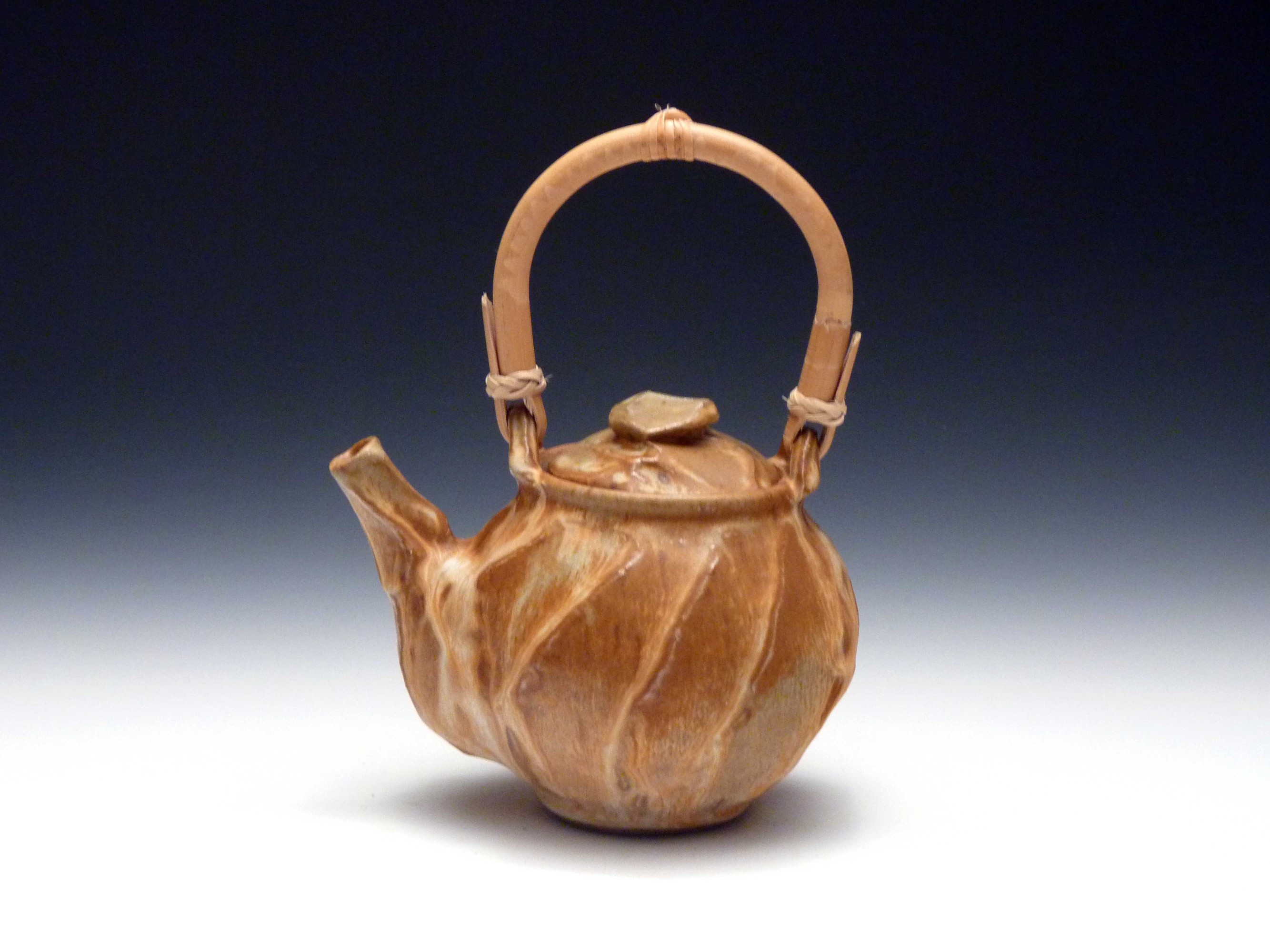
- Drop one or more product photos. A sample teapot photo is already resized so you can see the result first.
- Pick a shape. 4:3 landscape is the default: it fills a landscape view and its centre square still holds the whole item.
- Crop with zoom and the sliders, or fit the whole item with a border. Keep the product inside the blue square.
- Download the JPG: short side 2000 px, under 1,000,000 bytes, upright, sRGB, no metadata. Add it to your listing on Etsy.
What Etsy says about listing photos (read October 24, 2026)
Quoted from Etsy’s own pages. The main help article was last edited on October 22, 2026; the listing guide on June 29, 2026; the announcement is from July 24, 2023.
| Topic | Etsy’s words | Source |
|---|---|---|
| Size | “We recommend your listing photos have a width and height of at least 2000 pixels or more.” | Etsy Help: Requirements and Best Practices for Images |
| First photo minimum | “Your first listing photo should have a width and height of at least 635 pixels to avoid showing up lower in searches.” | Etsy Help: Requirements and Best Practices for Images |
| File size | “Images larger than 1MB in file size may not finish uploading, especially on a slower internet connection.” The listing guide is stricter: “Files bigger than 300k may time out, especially on a slower internet connection.” | Etsy Help: Requirements and Best Practices for Images; Etsy Help: How to Create a Listing |
| File types | “All images in your shop should be one of these file types: .jpg, .gif, .png, .svg, or .heic.” And: “Animated .gif files & transparent .png files are not supported. If a file contains transparency, the transparent parts of the image will appear black on Etsy.” | Etsy Help: Requirements and Best Practices for Images |
| Shape of the first photo | “The first photo in a listing should be horizontal (landscape) or square. This ensures that the center focal point of the image appears in the cropped thumbnail views.” Also: “Your first listing photo also dictates the shape of the photos that follow.” | Etsy Help: Requirements and Best Practices for Images |
| Thumbnail crops | “Make sure that your thumbnail images have enough of a border that they can be cropped to square, portrait, and landscape thumbnails without losing some of the product.” | Etsy Help: Requirements and Best Practices for Images |
| Colour | If colours look wrong, “convert your images to sRGB using an image editing software before uploading”. | Etsy Help: Requirements and Best Practices for Images |
| Sharpness | “Images may appear less sharp after being uploaded due to compression of the image files.” | Etsy Help: Requirements and Best Practices for Images |
| How many | “You can add up to 20 photos and 2 videos that are 5-15 seconds in length to each listing.” | Etsy Help: How to Create a Listing |
| Sizes Etsy makes | “The url string for a 75x75 pixel thumbnail of the image.”, “The url string for a 170x135 pixel thumbnail of the image.” and “The url string for the full-size image, up to 3000 pixels in each dimension.” | Etsy Open API v3, ListingImage |
Where Etsy’s own advice doesn’t agree
- 2000 wide, or 2000 on both sides? The help article asks for “a width and height of at least 2000 pixels”. The 2023 announcement says “Recommended size is 2000px for the shortest side, and a resolution of 72PPI. Keep it under 1MB for faster uploading.” Same size, put differently. The upload warning only talks about width: “Listings look best with photos at least 2000 pixels wide”, and the guide adds “While this error is only a suggestion and you should be able to continue publishing”. This tool makes the short side 2000, which satisfies all three.
- 1 MB or 300 KB? One page says 1MB, the other 300k, and both are about slow connections, not a hard limit we could find. Neither says whether “1MB” means 1,000,000 or 1,048,576 bytes, so the tool stays under 1,000,000. If uploads stall, switch the file target to 300 KB.
- Square or not? In 2023 Etsy wrote that “buyers are more likely to make a purchase when a shop displays square photos” and that “listing images in your Shop Home will display in a square format”. Today’s help article lists square as fine for the first photo, then in its thumbnail tips says: “Avoid square crops. Upload horizontal or landscape images.” We read that as: upload a landscape photo whose centre square still shows the whole item. That is what the default 4:3 shape and the blue square are for.
- Which file types? The 2023 post says “Use a JPG, GIF or PNG”; the current article also lists .svg and .heic. This tool always saves JPG, which is on both lists.
What we saw on etsy.com
We loaded Etsy market pages (signed out, desktop Chrome, October 24, 2026). Every listing photo we measured sat in a square tile, scaled with object-fit: cover at 50% 50%: 310×310 on a 1366 px window, 225×225 at 1024 px, and 168×168 on another market page with a denser grid. The tiles loaded square files (il_600x600, il_300x300, il_200x200). Search and listing pages answered with HTTP 403 to our browser, so we couldn’t measure them, and we didn’t check the apps.
We then took 20 of those listings and compared each square file with the full-size file on Etsy’s image server. Nine full-size photos weren’t square. For six of them the square tile was exactly the middle of the photo. For the other three it was a different crop, presumably set by the seller with Etsy’s thumbnail tool (“Select Edit to adjust the image thumbnail, crop the photo to the aspect ratio of your choosing, or delete the photo.”). Of the 11 square photos, nine tiles were simply the whole photo scaled down and two weren’t. No full-size file was larger than 3000 px on a side (five were exactly 3000), which matches the API’s “up to 3000 pixels”. Ten of the 20 were under 2000 px on their short side, so Etsy accepts smaller photos; it just recommends 2000.
Transparent PNGs turn black
Etsy is blunt about it: “If a file contains transparency, the transparent parts of the image will appear black on Etsy.” A cut-out product on a transparent background, straight from a background remover, is the usual way this happens. JPEG can’t hold transparency, so this tool paints a background first: white when cropping, or the border fill you pick when fitting. The status line tells you when your file had transparent pixels.
One photo has to stay unedited
Etsy’s image rules now say: “Your listing must include at least one unedited photo of the actual item against a real background, meaning the photo hasn’t been edited or changed in any way.” For the rest: “Outside of your required unedited photo, you can still use photo-editing tools, including AI, to adjust lighting or color, crop or resize images, or change backgrounds.” Etsy doesn’t say whether resizing that one required photo counts as editing it. If you want to be safe, upload one photo straight from the camera and use this page for the others. The border fills here (edge colour, white, blur) change the background around the item, which the second quote allows for those other photos.
Measured on the sample
| Setting | File | Size |
|---|---|---|
| 4:3, crop, short side 2000 (the photo above) | 2667×2000 JPEG, quality 90 | 646,149 bytes |
| 5:4, crop | 2500×2000 JPEG, quality 90 | 616,272 bytes |
| Square, fit whole item, 8% border in the edge colour | 2000×2000 JPEG, quality 90 | 292,200 bytes |
| 4:3, file target under 300 KB | 2667×2000 JPEG, quality 70 | 277,545 bytes |
| 4:3, long side 3000 (Pro) | 3000×2250 JPEG, quality 90 | 810,375 bytes |
Sample: “Tan Glaze Facet Teapot With Bamboo Handle” by Seabee314 on Wikimedia Commons, released under CC0 (4000×3000, 435,097 bytes). Measured in Chrome with this page’s own code. The resized file is bigger than the original here because the original was saved at a low JPEG quality and this page saves at quality 90; it is still well under 1,000,000 bytes. A busier photo makes a bigger file; the tool lowers JPEG quality step by step only when a file would go over your target.

Other Etsy shop images
This page makes listing photos. Etsy gives these sizes for the rest of the shop, quoted from the same help article: “The recommended size for logos is 500 x 500px.” “The recommended size for profile photos is 400 x 400px.” “The minimum required size for big shop banners is 1200 x 300px. The recommended size is 1600 x 400px.” “The minimum required size for mini shop banners is 1200 x 160px. The recommended size is 1600 x 213px.” “The minimum required size for order receipt banner photos is 760 x 100px.”
What this tool doesn’t do
It doesn’t log in to Etsy or upload anything; you download the JPGs and add them to the listing yourself. It doesn’t remove backgrounds, retouch, or fix colour, and it won’t make a small photo sharper: Etsy’s help puts it this way: “If you decrease the size of an image, it won’t lower the resolution. However, if you increase the size of an image, you may lose resolution and pixelation may occur.” It can’t show Etsy’s portrait crop, because Etsy doesn’t publish that shape. For other upload limits there is the image compressor and compress to 1 MB.
The help articles were read through Etsy’s help-center API on October 24, 2026 (the HTML pages refused our script), the announcement on community.etsy.com, and the API description from Etsy’s published OpenAPI file. We did not log in to Etsy or upload a photo. Gridloom is not affiliated with Etsy. Etsy is a trademark of Etsy, Inc.
Frequently asked questions
What size should Etsy listing photos be?
At least 2000 pixels on the short side. Etsy’s help asks for “a width and height of at least 2000 pixels or more”, and its 2023 announcement says “2000px for the shortest side”. Keep files under 1MB (one Etsy page says 300k). Etsy keeps up to 3000 px on a side.
What is the best aspect ratio for Etsy listing photos?
Etsy doesn’t name one. Its help says the first photo should be landscape or square, and market pages showed every photo as a centre square when we looked. A 4:3 or 5:4 landscape photo with the item inside the centre square works for both.
What size is the Etsy thumbnail?
It depends where. Etsy’s API produces 75×75 and 170×135 thumbnails and a version no more than 570 pixels wide, and the market pages we loaded used square 600×600, 300×300 or 200×200 files in square tiles. Etsy’s help also mentions portrait crops without giving a size.
What is the Etsy listing photo size in inches?
Etsy works in pixels, not inches. Its 2023 announcement mentions “a resolution of 72PPI”, but the PPI number doesn’t change how a photo looks on screen. What matters is 2000 pixels or more on the short side.
What is Etsy’s image size limit?
Etsy’s help gives no hard limit we could find. It warns that images larger than 1MB “may not finish uploading” on a slow connection, and the listing guide says files over 300k may time out. The full-size image Etsy stores is “up to 3000 pixels in each dimension”.
Why are my Etsy photos blurry?
Usually a small original, or Etsy’s own compression: its help says images “may appear less sharp after being uploaded due to compression”. Start from a photo at least 2000 px on the short side. This page warns you when it has to enlarge a photo, because enlarging doesn’t add detail.
Why are my Etsy photos not uploading?
Etsy’s help points at file size on slow connections: over 1MB may not finish, over 300k may time out. Save a JPG under 1,000,000 bytes here, or switch to the 300 KB target, and try again.
Why does my PNG have a black background on Etsy?
Etsy doesn’t support transparent PNGs: “the transparent parts of the image will appear black on Etsy.” Save it as a JPG with a background here; the tool fills transparent areas with white or the colour you choose.
Should Etsy photos be square?
Etsy’s advice has changed. In 2023 it said buyers buy more when a shop shows square photos; its current help says “Avoid square crops” and upload landscape images. A landscape photo that still works when cropped to the centre square covers both.
How many photos can an Etsy listing have?
Up to 20 photos and 2 videos per listing, according to Etsy’s “How to Create a Listing”. Pro here resizes up to 20 photos at once into one ZIP.
Can I edit or AI-edit my Etsy listing photos?
Yes, with one exception. Etsy requires at least one unedited photo of the actual item against a real background. For the others you may adjust lighting or colour, crop or resize, or change backgrounds, as long as the item isn’t made to look different.
Is it free, and are my photos uploaded?
Free for single photos with a 2000 px short side, under 1 MB or 300 KB, with no watermark and no signup. Everything runs in your browser; nothing is uploaded. Pro ($5 for 30 days, paid in USDC) adds 3000 px files and up to 20 photos at once as a ZIP.