
How to make a Kick banner
A Kick channel has two pieces of header art: the channel banner, a thin strip across the top of the channel page when you aren’t live, and the offline banner, a 16:9 picture for the player right after a stream ends. This page makes both from one image at the sizes Kick’s own uploader uses, and previews the banner at the crops we measured on kick.com, including the “offline” box Kick draws over it on laptops.
- Drop an image. A sample channel banner and offline banner are already made from an original illustration, so you can see the result first.
- Slide the banner crop and type your channel name. Check the Laptop, Small laptop and Phone views: Kick crops the banner’s sides on laptops and its top and bottom on tablets, and covers the top-left with its “offline” box.
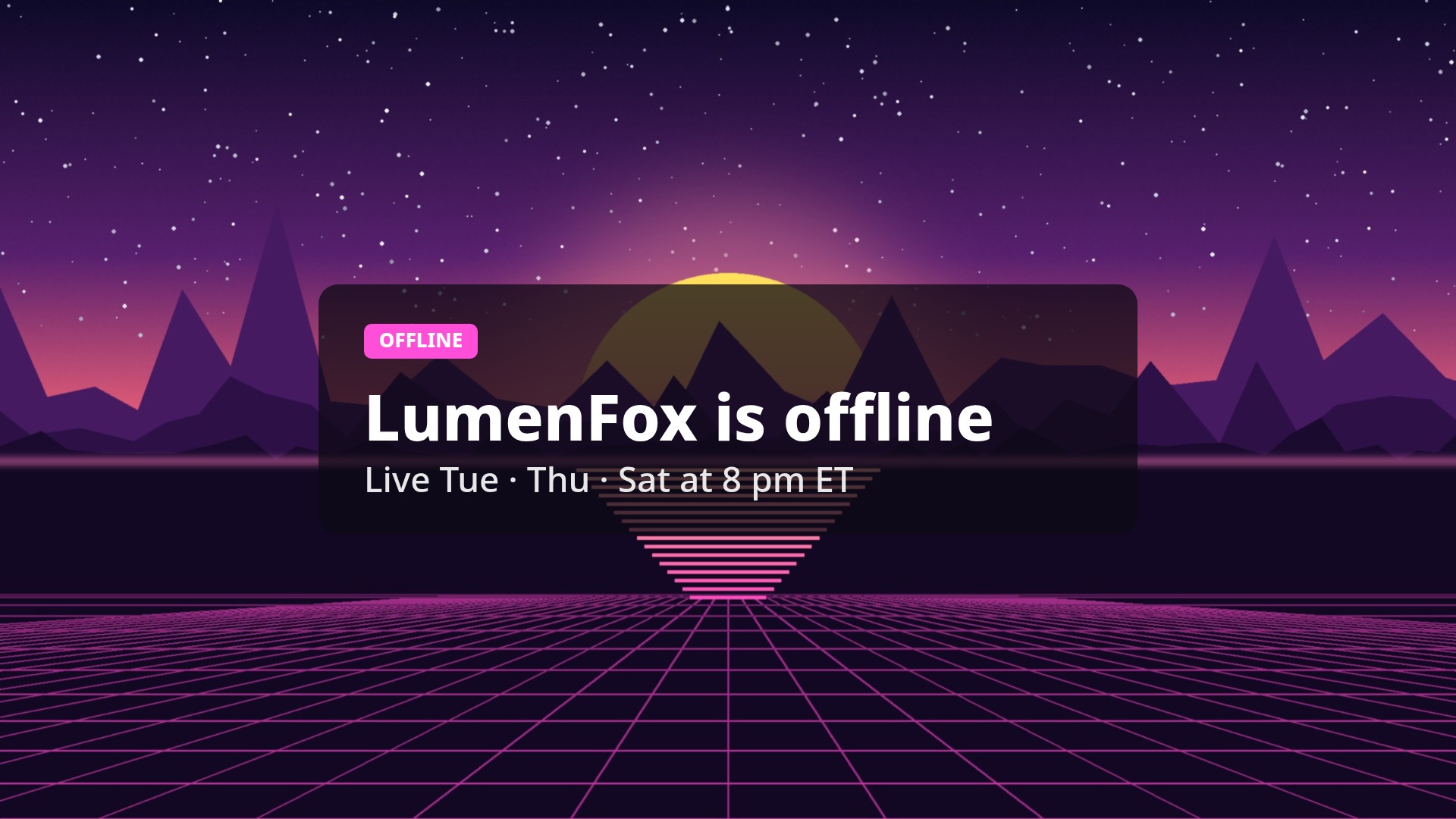
- Write the offline banner’s headline and schedule line. Kick shows that picture whole, so only its size on a phone matters.
- Download the 1200×134 banner and the 1920×1080 offline banner, then on Kick open your Profile Information page, click Edit Banner Image and Update Offline Banner Image, and check Kick’s crop before you confirm.
What Kick says about banner sizes (read October 25, 2026)
Quoted word for word. The help article was last updated on May 22, 2026. The interface text and settings are from kick.com’s own page and code, downloaded the same day.
| What | Kick’s words | Source |
|---|---|---|
| Channel banner (help) | “Banner images are displayed at the top of your channel page when your stream is offline.” “Banner Image Minimum Dimensions: 1280px x 700px” “Maximum File Size: 4MB” “Support File Types: JPG, JPEG, PNG” | KICK Help: How to update your profile |
| Offline banner (help) | “The channel offline banner is the image shown on your channel page when your stream has ended.” “To change the channel offline banner, click Update Offline Banner Image and select a 1080p image.” “Image Dimensions: 1920px x 1080px” “Maximum File Size: 4MB” | KICK Help: How to update your profile |
| Channel banner (settings text on kick.com) | “This banner is displayed on your channel page.” “Minimum image size: {dimension} and less than {size}” | kick.com interface text |
| Offline banner (settings text on kick.com) | “This banner appears on your channel page when you're offline.” For the “Offline Stream Banner”: “This banner image will display for two minutes upon ending your stream.” “Must be {resolution} ({ratio} aspect ratio), in JPEG or PNG format and less than {size}.” | kick.com interface text |
| Channel banner crop (uploader code) | minHeight:134,minWidth:1200,ratioHeight:67,ratioWidth:600: a 600:67 crop (about 8.96:1), at least 1200×134 | kick.com uploader code |
| Offline banner crop (uploader code) | maxHeight:1080,maxWidth:1920,minHeight:180,minWidth:320,ratioHeight:50,ratioWidth:89: 89:50 (1.78:1), 320×180 to 1920×1080 | kick.com uploader code |
| File size and types (uploader code) | "X",0,4194304,"c",0,"4MB" (the limit in bytes and how it is shown) and ["image/jpeg","image/png"] | kick.com uploader code |
| Design advice | “Use the space to communicate your schedule, vibe, or key info at a glance” “Keep important elements away from edges that may be cropped on different devices” “Make sure your username or logo is visible” | KICK Help: Building your channel branding on KICK |
| Avatar | “Avatar Minimum Image Dimensions: 128px x 128px” | KICK Help: How to update your profile |
The words in curly brackets are placeholders Kick fills in when the settings page runs; we could only read the settings page’s code, not the filled-in page, because it needs a login.
Where Kick’s own sources don’t agree
- 1280×700 or 1200×134? The help article says the banner’s minimum is 1280px x 700px, a shape of about 1.8:1. Kick’s uploader code crops the banner to 600:67 (about 8.96:1) with a minimum of 1200×134, and the page draws it 134 CSS px tall. A 1280×700 image would be cut down to a strip about 143 px tall when you crop it in Kick’s uploader. We follow the code and the page, so the files here are already 600:67, and we read the help article’s number as out of date.
- 16:9 or 89:50? The help article asks for 1920px x 1080px (16:9, 1.778:1). The uploader code’s crop ratio for the offline banner is 89:50 (1.78:1). At 1,920 px wide that crop is 1,078.7 px tall, so Kick’s cropper may trim about a pixel from a 1920×1080 file. We kept Kick’s documented 1920×1080.
- Which banner shows when you are offline? The help article says the channel banner is shown “when your stream is offline” and the offline banner “when your stream has ended”. Kick’s settings text calls one “Offline Banner” that “appears on your channel page when you're offline” and an “Offline Stream Banner” that will “display for two minutes upon ending your stream”. What we saw on offline channels matches the help article: the channel banner across the top and no offline banner. The offline banner was in the page but hidden inside a 134 px box (see below).
- 4MB: the code’s limit is 4,194,304 bytes; the same file also lists 4,000,000 (we couldn’t see what that one is used for). This tool keeps every file under 4,000,000 bytes, below both.
What we measured on kick.com
We opened channel pages on kick.com in Chrome, signed out, at 12 window sizes from a 320 px phone to a 2,560 px monitor, on two channels (the numbers were the same on both). Phones used a phone browser identity. The banner always filled its box with object-cover object-center (object-fit:cover) from the middle (50% 50%). Kick’s stylesheet sets --channel-mobile-banner-height:44px;--channel-desktop-banner-height:134px, and the box width is the page’s middle column. For a 1200×134 file:
| Window | Banner box (CSS px) | Part of a 1200×134 file you see |
|---|---|---|
| 320×700 | 320×44 | x 113–1,087, full height (81% of the width) |
| 360×780 | 360×44 | x 52–1,148, full height (91% of the width) |
| 390×844 | 390×44 | x 6–1,194, full height (99% of the width) |
| 430×932 | 430×44 | full width, y 6–128 (92% of the height) |
| 768×1,024 | 768×44 | full width, y 33–101 (51% of the height) |
| 1,024×768 | 628×134 | x 286–914, full height (52% of the width) |
| 1,280×720 | 684×134 | x 258–942, full height (57% of the width) |
| 1,366×768 | 770×134 | x 215–985, full height (64% of the width) |
| 1,440×900 | 844×134 | x 178–1,022, full height (70% of the width) |
| 1,536×864 | 940×134 | x 130–1,070, full height (78% of the width) |
| 1,920×1,080 | 1,324×134 | full width, y 6–128 (91% of the height) |
| 2,560×1,440 | 1,964×134 | full width, y 26–108 (61% of the height) |
So the banner shape Kick crops to (600:67) only fills the box exactly when the box is 1,200 px wide. On a 1,024 px window you see the middle 52% of the width; on a 768 px tablet, the middle half of the height. Anything you need everyone to see belongs in the middle: x 286–914 and y 33–101 of a 1200×134 file are visible on every size we measured.
The “offline” box. From 1,024 px windows up, Kick draws a dark box reading “OFFLINE” and the channel name followed by “is offline” over the banner, 28 px from its top-left corner and 72 px tall. Its width depends on the channel name: xQc 275.33 px, Deepak 317.78 px, Amouranth 360.23 px, Trainwreckstv 397.2 px. On a 1,366 px laptop it covers about x 243–561 of a 1200×134 file for a name as long as “Deepak”. That is why this tool puts text right of centre by default. Phones don’t show the box. Below the banner on laptops come the avatar, name and follow button, not over the banner.
Live channels: on the three channels we opened while they were live, the page showed the video player in that spot (770×433 on a 1,366 px laptop) and no banner or offline banner.
The offline banner: in the page, but hidden
On offline channels the page’s code holds the offline banner under the channel banner: the full picture fitted inside the player area with object-contain object-center, in front of a copy that fills the area at opacity-40 behind a lg:backdrop-blur-3xl layer. On a 1,366×768 window that area is 770×576 CSS px; on a 390 px phone it is 390×219.4, exactly 16:9. But the box around it was 134 px tall (44 on phones), the height of the channel banner, so only the banner showed. That fits Kick’s “two minutes upon ending your stream” text: the player area opens up right after a stream ends. We couldn’t catch a stream ending, so the left picture above is rebuilt from the code, not a screenshot. Because the image is fitted, not cropped, the whole 16:9 offline banner shows, so text anywhere on it is safe; just keep it big enough for a 390×219 phone player.
What Kick does to your files (measured)
- Channel banners are served 1,105 px wide. On 16 channel pages, all 12 custom banners the page loaded were 1,105 px wide (heights 123 to 622 px; the 2 that were 1,105×123 have Kick’s current 600:67 shape, the others look like older uploads). The page loads that one file at every window size. On a 1,920 px monitor the box is 1,324 px wide, so it is enlarged there whatever you upload.
- Offline banners are served 1,200 px wide. All 10 custom offline banners came as 1,200×675 copies (one 1,200×673), with smaller copies down to 411 px for phones, even though Kick asks for 1920×1080. 4 channels still had Kick’s default offline image.
- Kick checks the file itself. Its uploader code compares the first bytes of the file with its type and rejects animated PNG (it looks for an
"acTL"chunk). Renaming a WebP to .jpg won’t get past it. Every file from this tool is a real JPEG or PNG.
What that means: 1200×134 is enough for the channel banner today; bigger files don’t look sharper on Kick, because Kick keeps a 1,105-px copy. The 1800×201 option gives Kick’s cropper some room above its minimum. For the offline banner, 1920×1080 is what Kick asks for; the 1200×675 option matches what Kick actually serves and makes a smaller file.
Measured on the sample
| File | Format | Size |
|---|---|---|
| Channel banner 1200×134 (above) | JPEG, quality 92 | 24,876 bytes |
| Channel banner 1200×134 | PNG | 158,309 bytes |
| Channel banner 1800×201 | JPEG, quality 92 | 43,013 bytes |
| Channel banner 2400×268 (Pro) | JPEG, quality 92 | 61,217 bytes |
| Offline banner 1920×1080 (above) | JPEG, quality 92 | 265,586 bytes |
| Offline banner 1920×1080 | PNG | 1,800,500 bytes |
| Offline banner 1920×1080, blurred background | JPEG, quality 92 | 94,578 bytes |
| Offline banner 1200×675 | JPEG, quality 92 | 138,329 bytes |
Sample: an original Gridloom illustration for a made-up channel, 2400×1350. Measured in Chrome with this page’s own code. Every file is far below Kick’s 4MB limit.
How to add them on Kick
Kick’s help: go to your Profile Information page; “To change your banner image, click Edit Banner Image, then either upload your own banner or select from a pre-designed image.” For the offline banner, click Update Offline Banner Image. Kick then shows its own cropper, so check that the crop covers the whole file before you confirm. Kick also says your channel page shows “Your channel’s offline banner, which changes when you are livestreaming.”
What this tool doesn’t do
It doesn’t log in to Kick or upload anything, and we didn’t upload a banner to Kick to test its cropper. It makes still JPG or PNG files only, because Kick’s uploader takes only those; a GIF becomes its first frame. It doesn’t make channel panels, emotes or the avatar (Kick asks for at least 128×128 for the avatar). For Twitch, use the Twitch banner & panel maker. The “offline” box width in the preview is an estimate for the name you type, using Kick’s font size; Kick’s font may not be on your device. Gridloom is not affiliated with Kick. KICK is a trademark of its owner.
Sources were read on October 25, 2026: three help.kick.com articles, kick.com’s interface text from a channel page, and two of kick.com’s script files and its stylesheet. Measurements were taken the same day on kick.com, signed out. We did not log in to Kick.
Frequently asked questions
What size is a Kick banner?
Kick’s uploader crops the channel banner to 600:67 (about 9:1) and needs at least 1200×134 px, so make it 1200×134. Kick’s help article still says “Minimum Dimensions: 1280px x 700px”, but the page draws the banner 134 px tall and Kick’s cropper cuts a 1280×700 image down to a thin strip.
What is the Kick offline banner size?
1920×1080 px (16:9), JPG or PNG, under 4MB, per Kick’s help article. Kick’s cropper uses 89:50, which is within about a pixel of 16:9. Kick served the offline banners we checked as 1200×675 copies.
What does “kick banner 1200x134px” mean?
It is the smallest channel banner Kick’s uploader accepts: its code sets a minimum crop of 1200×134 at a 600:67 ratio. It is also the banner’s exact shape, and on the page the banner is 134 CSS px tall on laptops.
Why does Kick crop my banner?
Because the box changes shape with the window. Kick fills it from the middle: a 1,366 px laptop shows only the middle 64% of the width, a 1,024 px window 52%, and a 768 px tablet only the middle half of the height. Keep names and logos in the middle, roughly x 286–914 and y 33–101 of a 1200×134 file.
What does a Kick banner look like on mobile?
A 44 px strip across the top of the channel page. On a 390 px phone that shows nearly the whole 1200×134 file, but everything is drawn at about a third of its size, so small text can’t be read.
What is the difference between the Kick banner and the offline banner?
The channel banner is the wide strip at the top of your channel page when you aren’t live (1200×134). The offline banner is a 1920×1080 picture for the player area; Kick’s settings text says it displays “for two minutes upon ending your stream”, and we found it hidden on channels that had been offline longer.
Why is my Kick offline banner not showing?
On the offline channels we checked, the offline banner was in the page but hidden inside a box only as tall as the channel banner, so visitors saw just the banner. Kick’s settings text says it shows for two minutes after a stream ends. If it doesn’t appear even then, check that it is a JPEG or PNG under 4MB.
Is the Kick banner the same size as a Twitch banner?
No. Twitch recommends 1200×480 (2.5:1). Kick’s banner is 600:67 (about 9:1, 1200×134), so a Twitch banner loses most of its height on Kick. The offline screen is 1920×1080 on both.
Can a Kick banner be a GIF?
No. Kick’s uploader accepts only JPEG and PNG files and rejects animated PNGs. This tool turns a GIF into a still of its first frame.
What is the Kick banner size in pixels for 2026?
Channel banner 1200×134 px (600:67) and offline banner 1920×1080 px, both JPEG or PNG under 4MB, as of Kick’s code and help center read on October 25, 2026.
How do I change my Kick banner?
Go to your Profile Information page. Kick’s help says: “To change your banner image, click Edit Banner Image, then either upload your own banner or select from a pre-designed image.” For the offline banner, click Update Offline Banner Image. Kick shows its own crop step before saving.
Is this Kick banner maker free?
Yes. The 1200×134 and 1800×201 channel banners and the 1920×1080 offline banner download free, with no watermark and no sign-up, and your image never leaves your browser. Pro adds a 2400×268 master, both files as one ZIP, and several images at once.