How to make an Etsy shop banner
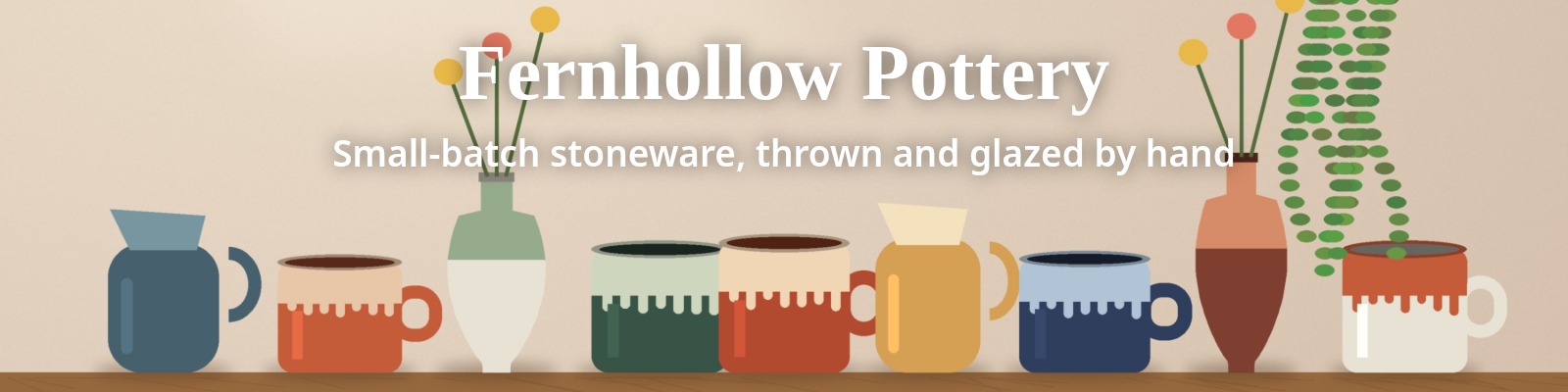
An Etsy shop has two kinds of header art: a banner across the top (big or mini) and a square logo, the shop icon. This page makes both from one image at the sizes Etsy recommends, keeps the files free of transparency (Etsy shows it as black), and previews the banner at the shapes we measured on Etsy’s shop page, including the real size a phone draws it.
- Drop an image. A sample banner and icon are already made from an original illustration, so you can see the result first.
- Pick big (4:1) or mini (7.5:1), slide the crop, and type your shop name and a short line. Check the Phone 390 view: that is the real size a phone shows.
- Choose the icon: a square crop of your image or your initials on a colour.
- Download the 1600×400 (or 1600×213) banner and the 500×500 icon, then add them on Etsy: Shop Manager → pencil icon next to your shop under Sales Channels → Banner; Settings → Your shop → Logo.
What Etsy says about shop banners and icons (read October 25, 2026)
Quoted word for word from Etsy’s help center. The image article was last edited on October 22, 2026, the shop appearance article on May 5, 2026.
| What | Etsy’s words | Source |
|---|---|---|
| Big banner | “The minimum required size for big shop banners is 1200 x 300px. The recommended size is 1600 x 400px.” Also: “Big Banner: A large image with a minimum size of 1200 x 300 pixels.” | Etsy Help: Requirements and Best Practices for Images; Etsy Help: How to Customize Your Shop’s Appearance |
| Mini banner | “The minimum required size for mini shop banners is 1200 x 160px. The recommended size is 1600 x 213px.” Also: “Mini Banner: A narrow image with a minimum size of 1200 x 160 pixels.” | Etsy Help: Requirements and Best Practices for Images; Etsy Help: How to Customize Your Shop’s Appearance |
| Logo (shop icon) | “The recommended size for logos is 500 x 500px.” | Etsy Help: Requirements and Best Practices for Images |
| Profile photo | “The recommended size for profile photos is 400 x 400px.” | Etsy Help: Requirements and Best Practices for Images |
| Where the banner shows | “Shop banners are the largest branding asset for your shop. This image appears when shoppers view your shop on the standard view of the website as well as on mobile devices.” | Etsy Help: How to Customize Your Shop’s Appearance |
| No banner | “If you do not want a banner for your shop, select None. This will move your listings higher up on the page and your logo will be the most prominent branding on your shop homepage.” | Etsy Help: How to Customize Your Shop’s Appearance |
| File types | “All images in your shop should be one of these file types: .jpg, .gif, .png, .svg, or .heic.” And: “Animated .gif files & transparent .png files are not supported. If a file contains transparency, the transparent parts of the image will appear black on Etsy.” | Etsy Help: Requirements and Best Practices for Images |
| Logo and search | “Your shop should have a logo to represent your business to buyers. Not having a logo may impact your visibility in Etsy search.” | Etsy Help: How to Customize Your Shop’s Appearance |
| Etsy Plus banners | “More advanced shop banner options, such as the Carousel banner or Collage banner, are available to Etsy Plus subscribers.” “The recommended size for carousel banners is 1200 x 300px.” | Etsy Help: How to Customize Your Shop’s Appearance; Etsy Help: Requirements and Best Practices for Images |
| Sharpness | “Images may appear less sharp after being uploaded due to compression of the image files.” And: “if you increase the size of an image, you may lose resolution and pixelation may occur.” | Etsy Help: Requirements and Best Practices for Images |
Where Etsy’s pages don’t line up
- Carousel: recommended or minimum? The image article calls 1200×300 the “recommended size for carousel banners”. The Etsy Plus article says “Each image must be sized to a minimum of 1200 x 300px.” This tool doesn’t make carousel or collage banners; if you have Etsy Plus, treat 1200×300 as the floor and use a big-banner file (same 4:1 shape) for each slide.
- 1600 × 213 is not quite 7.5:1. Etsy’s stylesheet sizes the mini banner box with
.height-aspect-ratio-7_5-1{padding-bottom:13.33%}, which is 7.5:1. 1600×213 is 7.51:1, a third of a pixel off. That difference is invisible, so the tool uses Etsy’s numbers. - Etsy’s API only lists a 760 × 100 banner. In Etsy’s Open API the Shop record has
image_url_760x100, described as “The URL string for this shop's banner image.”, andicon_url_fullxfull, “The URL string for this shop's icon image.” A 760×100 strip is neither banner shape. We didn’t call the API (it needs a key), so we can’t say what that URL returns today. - Etsy’s recommended size is smaller than what its page loads. Etsy recommends 1600×400, but its shop page asks the image server for a 3,360×840 copy on windows wider than 1,680 px and on a 1,366 px laptop with a 2× screen (measured below). That doesn’t contradict Etsy; it means a 1600×400 file gets enlarged on big screens.
What we measured on Etsy’s shop pages
etsy.com answered our browser with HTTP 403 on shop pages, so we could not measure live shop pages. Instead we took copies of real shop pages saved by the Internet Archive, opened them in Chrome with Etsy’s own stylesheets fetched from etsy.com today, blocked Etsy’s scripts, and measured the banner at window widths from 320 to 1,920 px. The big-banner copies are from June and August 2026 (checked against two from November 2025 and February 2026); the only mini-banner copies we found are from 2024.
The big banner’s box is set by .height-aspect-ratio-4-1{padding-bottom:25%}: full window width, a quarter of that tall. A .fill-min-height{min-height:78px} rule only matters below 312 px. So at every width we tried, the whole 4:1 file was visible, with nothing cropped.
| Window | Big banner box (CSS px) | File the page picked |
|---|---|---|
| 320 px | 320×80 | 480×120 |
| 390 px | 390×97.5 | 480×120 |
| 430 px | 430×107.5 | 480×120 |
| 600 px | 600×150 | 640×160 |
| 768 px | 768×192 | 900×225 |
| 900 px | 900×225 | 900×225 |
| 1366 px | 1,366×341.5 | 1,680×420 |
| 1920 px | 1,920×480 | 3,360×840 |
The mini banner uses the 7.5:1 rule above plus the same 78 px minimum. From 585 px up it fills the width. Below that the box stays 78 px tall and the image keeps its shape at 585×78, centred, so the sides are cut. In a 1600×213 file:
| Window | Mini banner box (CSS px) | Image drawn at | Part of a 1600-wide file you see |
|---|---|---|---|
| 320 px | 320×78 | 585×78 | x 362–1,238 |
| 390 px | 390×78 | 585×78 | x 267–1,333 |
| 430 px | 430×78 | 585×78 | x 212–1,388 |
| 600 px | 600×80 | 600×80 | the whole width |
| 768 px | 768×102.4 | 768×102.4 | the whole width |
| 1366 px | 1,366×182.1 | 1,366×182.1 | the whole width |
| 1920 px | 1,920×255.9 | 1,920×255.9 | the whole width |
The shop icon sat just under the banner on the left, 12 px below it, with 8px rounded corners (not a circle): 64.39 px wide on a 390 px window, 74 px at 768 px and 75.48 px on a 1,366 px laptop. The page lists only 100×100 and 200×200 copies of the logo for that spot (a 2× screen got the 200×200 one), so the 500×500 Etsy recommends leaves plenty of room. In the 2024 mini-banner copies the icon was centred over the bottom of the banner instead, so Etsy has moved it since; the preview follows the 2026 layout.
What this can’t tell you: Etsy may send phones a different page than the desktop page we rendered at phone widths; we didn’t check the Etsy app; the archived pages are weeks to years old, while the stylesheet rules quoted above are from the files those pages point to, which etsy.com still served today. Etsy can change its layout at any time.
What Etsy does to your banner file (measured)
We fetched 41 banners from those archived pages (39 big, 2 mini; pages saved between September 2022 and August 2026) from Etsy’s image server today, comparing the full-size copy with the copies the page uses.
- Every big banner had a 3,360×840 copy. Each page listed copies at 3,360×840, 1,680×420, 1,200×300, 900×225, 640×160 and 480×120 (mini: 3,360×448 down to 480×64), and the largest copy downloaded at that size for all 41, whatever had been uploaded. That includes the 8 banners whose full-size copy was only 1200×300: for those the 3,360 copy is 2.8 times wider than the biggest copy Etsy keeps. 16 of the 39 were 1,680 px wide or less.
- Banners that weren’t 4:1 were centre-cropped. 5 full-size copies had other shapes (for example 3000×2250 and 3167×417). In all 5, the 4:1 copy Etsy served matched the middle of the photo, not the top, bottom or sides. If you upload a camera photo, Etsy shows its middle strip.
- Sizes sellers uploaded: 17 full-size copies were exactly 3000×750, 8 were 1200×300, 2 were 1600×400; the widest was 3,167 px. Etsy states no maximum, and we didn’t upload anything to find one.
What that means: on a 1,366 px laptop at normal density the page loaded the 1,680×420 copy, and on phones (390 px at 2× and 3×) the 900×225 and 1,200×300 copies, so a 1600×400 file covers those. On a 1,920 px monitor, or a 1,366 px laptop at 2×, it loaded the 3,360×840 copy, which can only be as sharp as what you uploaded. That is why the Pro size here is 3,360×840. The free 1600×400 is Etsy’s own recommendation and fine for most shops.
Designing for phones
A big banner on a 390 px phone is 97.5 CSS px tall. Text at 10% of the banner height ends up under 10 px tall there, too small to read. The tool warns when your shop name would be under 12 px or the small line under 8 px on that phone. For a mini banner, keep anything important in the middle: a 390 px phone shows x 267–1,333 of a 1600-wide file, and a 320 px phone x 362–1,238. The tool warns when text runs outside those zones.
Measured on the sample
| File | Format | Size |
|---|---|---|
| Big banner 1600×400 (above) | JPEG, quality 92 | 97,245 bytes |
| Big banner 1600×400 | PNG | 676,007 bytes |
| Big banner 1200×300 | JPEG, quality 92 | 60,541 bytes |
| Mini banner 1600×213, no text | JPEG, quality 92 | 44,673 bytes |
| Big banner, whole image fitted, blurred sides | JPEG, quality 92 | 68,840 bytes |
| Big banner 3360×840 (Pro) | JPEG, quality 92 | 285,762 bytes |
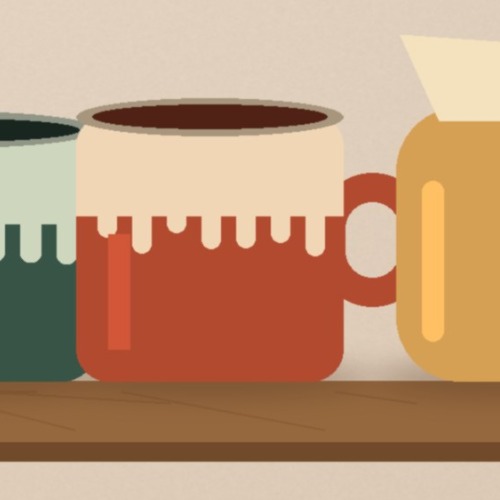
| Shop icon 500×500, crop of one mug | JPEG, quality 92 | 22,263 bytes |
| Shop icon 500×500, initials | JPEG, quality 92 | 8,653 bytes |
Sample: an original Gridloom illustration for a made-up shop, 3600×2250. Measured in Chrome with this page’s own code. Etsy gives no file-size limit for banners or logos; these files are small anyway.
How to add them on Etsy
Etsy’s steps for the banner: go to Shop Manager, “Select the pencil icon next to your shop name under Sales Channels.”, then “Select Banner to showcase your brand and listings at the top of the page.”, “Choose the type of banner you want.” and “Choose Done.” For the logo: Shop Manager, then Settings, then Your shop; under Logo choose Add (or Edit), add the file, crop it with the square icon if you need to, and save. Etsy’s shop editor has its own crop step for the logo, so a 500×500 square from here needs no further cropping.
What this tool doesn’t do
It doesn’t log in to Etsy or upload anything. It makes still JPG or PNG files: Etsy doesn’t support animated GIFs, so a GIF becomes its first frame. It doesn’t make Etsy Plus carousel or collage banners, the order receipt banner (Etsy gives only a minimum, “760 x 100px”) or listing photos: for those use the Etsy listing photo resizer. Etsy lists the profile photo (400×400) separately from the logo; on the pages we rendered, the owner’s photo was a small circle elsewhere on the page, and the square next to the shop name was the logo. Gridloom is not affiliated with Etsy. Etsy is a trademark of Etsy, Inc.
Sources were read on October 25, 2026: help articles through Etsy’s help-center API, the Shop fields from Etsy’s published OpenAPI file, and the stylesheet rules from Etsy’s own CSS files. We did not log in to Etsy or upload a banner.
Frequently asked questions
What size is an Etsy shop banner?
Etsy recommends 1600×400 px for a big banner (minimum 1200×300) and 1600×213 px for a mini banner (minimum 1200×160), per its help center, edited October 22, 2026. The big banner is 4:1 and the mini banner 7.5:1.
What is the Etsy banner size in pixels and ratio?
Big banner: 1600×400 pixels, a 4:1 ratio. Mini banner: 1600×213 pixels, 7.5:1. Etsy’s own stylesheet sizes the boxes at exactly those ratios (25% and 13.33% of the page width).
What is the difference between Etsy’s big banner and mini banner?
Shape and height. The big banner is 4:1, so on a 1,366 px laptop it is about 342 px tall; the mini banner is 7.5:1, about 182 px tall, so your listings start higher. On phones the mini banner keeps a 78 px minimum height and loses its sides.
What size is an Etsy shop icon (logo)?
Etsy recommends 500 x 500px for the logo. On the shop pages we rendered it showed at about 75 px on a laptop and 64 px on a phone, with 8 px rounded corners, so keep it simple and readable small.
What is the difference between the Etsy shop icon and the profile picture?
The shop icon is your shop’s logo (500×500 recommended) and appears next to your shop name. The profile photo is your personal account photo (400×400 recommended); on the pages we rendered it was a small circle further down the page.
What is the Etsy banner size in inches?
Etsy gives banner sizes in pixels only. If a design app asks for inches, set the pixel size directly: 1600×400 px for a big banner or 1600×213 px for a mini banner; the DPI setting doesn’t change how it looks on screen.
Why is my Etsy banner blurry?
Usually because the file is smaller than the copy Etsy shows. We found Etsy serves a 3,360×840 copy of every big banner to wide or high-density screens, even when the upload was 1200×300. Etsy also says images may look less sharp after compression. Upload a bigger file, and never enlarge a small one.
Does Etsy crop shop banners?
The big banner isn’t cropped on the page: its box is exactly 4:1 at every width we measured, so a 4:1 file shows whole. If you upload another shape, the 4:1 copy Etsy served was the middle of the image in all five cases we found. The mini banner loses its sides on windows under 585 px.
What does an Etsy banner look like on mobile?
A big banner fills the phone’s width at 4:1, which is only 97.5 px tall on a 390 px phone, so small text becomes unreadable. A mini banner is 78 px tall there and shows only the middle of the image (x 267–1,333 of a 1600-wide file).
Can an Etsy banner be a GIF or a PNG?
Etsy accepts .jpg, .gif, .png, .svg and .heic, but says animated .gif files and transparent .png files are not supported, and transparent parts appear black. This tool makes JPG or PNG files with no transparency.
How do I change my Etsy banner?
In Shop Manager, select the pencil icon next to your shop name under Sales Channels, select Banner, choose the type of banner (big, mini or none), add the image and choose Done. Etsy Plus subscribers also get carousel and collage banners.
Is this Etsy banner maker free?
Yes. The big banner, the mini banner and the 500×500 shop icon download free, with no watermark and no sign-up, and your image never leaves your browser. Pro adds the 3,360×840 size, the whole kit as one ZIP and several images at once.