How to resize photos for an eBay listing
eBay recommends listing photos of about 1600 × 1600 pixels, at least 500 px, up to 12 MB, with no borders, text or watermarks added. This page crops or fits your photo to that size, checks the saved file against eBay’s numbers, and shows it in the boxes ebay.com uses in search and on the listing page.
- Drop a photo of your item. A sample is already made from a CC0 camera photo, so you can see the result first.
- Choose a shape (square is best in eBay search) and a size: 1600 px is the size eBay recommends, 500 px is its minimum.
- Crop and move the frame so the whole item shows, or fit the whole photo on white, or keep your photo’s shape.
- Check the file checks and the ebay.com previews, download, and add the photo in the Photos & Video section of your listing.
What eBay says about listing photos (read October 25, 2026)
| What | eBay’s words | Source |
|---|---|---|
| Size | “Images should have a minimum resolution of 500 x 500 pixels but we recommend images that are about 1600 x 1600.” | eBay Help: Adding pictures to your listings |
| Minimum (policy) | “Photos must be at least 500 pixels on the longest side.” | eBay: Picture policy |
| File size | “Our photo uploader can take images up to 12MB in size” | eBay Help: Adding pictures to your listings |
| File types | “JPEG, PNG, GIF, TIFF, BMP, WEBP, HEIC, or AVIF”. The developer guide lists the same eight and adds: “Other non-JPG format files are converted to JPG”. | eBay Help: Adding pictures to your listings; eBay Developers: Managing images |
| Shape | “Generally, photos in a 1:1 or 16:9 aspect ratio look best in listings, search results, and other placements” | eBay Help: Adding pictures to your listings |
| How many | “You can add up to 24 pictures.” For listings with variations: “A maximum of 12 pictures may be used per variation.” | eBay Help: Adding pictures to your listings; eBay Developers: Managing images |
| Main photo | “The first picture you add, called the main photo, appears next to your item’s title in search results.” “Your main photo should show the whole item face-on.” | eBay Help: Adding pictures to your listings |
| Background | “White backgrounds are generally best, but for shiny or reflective items like a piece of jewelry, a darker background may work better” | eBay Help: Adding pictures to your listings |
| Not allowed | “Photos with added borders” · “Photos with added text, artwork or marketing material” · “Watermarks of any type, including those used for ownership attributions” · “Stock photos for used, damaged, or defective items” | eBay: Picture policy |
| Added graphics | “Do not add graphics to images such as badges, logos, copyright notices or watermarks as they can affect your listing's placement in search results” | eBay Help: Adding pictures to your listings |
| Other people’s photos | “No, you can't use images or videos from a manufacturer's website, even if it is publicly available.” | eBay: Images, videos and text policy |
| What eBay does to your file | “EPS downscales and compresses the picture and stores it at the different sizes in the image set.” “If the dimensions of an uploaded picture are less than a size that is stored in EPS, the upload will be accepted, and the stored picture will be the same dimensions as the uploaded picture. In this case, image quality of the stored picture is likely to be degraded.” | eBay Developers: Managing images |
eBay.com (US) pages, read in Chrome, signed out. EPS is eBay Picture Services, where uploaded photos are stored. Gridloom isn’t affiliated with eBay.
Why this page makes 1600 × 1600 squares
eBay gives one recommended size, about 1600 × 1600, and says square and 16:9 photos look best. Every search result box we measured on ebay.com was a square, 256 × 256 on a computer and 120 × 120 on a phone, and eBay draws the whole photo inside it. A square photo fills that box; a 16:9 photo is drawn 256 × 144 with empty space above and below. So the tool starts with a square, 1600 px on each side, and crops your photo to it. If your item doesn’t fit a square, fit the whole photo instead, or keep your photo’s own shape.
Bigger than 1600 doesn’t seem to reach buyers. The largest copy eBay sent our browser on the listing pages was 1600 px on its long side, and when we asked eBay’s image server for 2000 px copies of four listing photos, it sent the 1600 px copy each time. We can’t see what the sellers uploaded, so we don’t know whether 1600 is eBay’s cap or just what those sellers used. One photo came back at 495 × 800: a smaller upload is served at its own size, and on a 680 × 510 listing box it’s stretched to fill the height.
How each shape fills eBay’s boxes
Worked out from the box sizes we measured (eBay shows the whole photo and leaves the rest of the box empty):
| Photo shape | Search, computer (256 × 256) | Listing, computer (680 × 510) | Search, phone (120 × 120) | Listing, phone (390 × 335) |
|---|---|---|---|---|
| Square, 1:1 | 256 × 256 | 510 × 510 | 120 × 120 | 335 × 335 |
| 4:3 | 256 × 192 | 680 × 510 | 120 × 90 | 390 × 293 |
| 16:9 | 256 × 144 | 680 × 383 | 120 × 68 | 390 × 219 |
The square is largest in search, where the main photo is all a buyer sees before clicking. The 4:3 photo fills the listing box on a computer exactly. 16:9, one of the two shapes eBay names, is the smallest in every box we measured.
Where the sources don’t agree
- 500 × 500, or 500 on the longest side? The photo tips say “a minimum resolution of 500 x 500 pixels”. The picture policy says “at least 500 pixels on the longest side”, so a 500 × 300 photo passes the policy but not the tips. The tool checks both.
- Which shape. eBay names 1:1 and 16:9. The main photo box on a listing page at 1366 px is 680 × 510, exactly 4:3, and 876 × 630 at 1920 px; on a phone it’s 390 × 335. Search boxes are square.
- Gallery sizes. The help page’s Gallery Plus section says the picture is shown “at the standard size of 96 pixels” and up to “400 x 400 pixels” on hover. The search result boxes we measured were 256 × 256 on every computer window size we tried. We didn’t find a Gallery Plus listing to test the hover.
- File types. The help page and the developer guide list eight formats. The older Trading API page for uploads lists five, “JPG, GIF, PNG, BMP, and TIF formats”, and says “This call has been deprecated and will be decommissioned on September 30th, 2026.” That date has passed and the page is still up.
- 12 MB and the pixel limit. The help page says 12MB. The developer guide gives 12 MB and a 15,000 px height-plus-width limit only as examples: “For example, if the maximum original file size is 12 MB” and “For example, if the maximum image dimension limit is 15,000 pixels (height + width)”. Nobody says whether a MB is 1,000,000 or 1,048,576 bytes, so the tool keeps files under 12,000,000 bytes. A 1600 × 1600 JPG is far under either.
- White bars or borders. The picture policy doesn’t allow “Photos with added borders”, and eBay’s own editor can “automatically replace the background with a solid white color”. Neither page says whether white bars added to make a photo square count as a border. The tool warns you when fitting a photo adds bars; cropping, or keeping your photo’s shape, adds none.
- Our own sample. The camera on this page is a stock photo (CC0), used only to show the tool. eBay: “You can’t use a catalog or stock photo if you’re listing an item as used.” Photograph the item you’re selling.
How big your photos show on ebay.com: measured
Signed out in Chrome on October 25, 2026, on a search for vintage film camera and on three of the listings it returned. Copy loaded is the file eBay sent for that spot; eBay names them s-l140, s-l300, s-l500, s-l1600 and so on, and we checked that the number is the long side in pixels.
| Where | Screen | What we measured |
|---|---|---|
| Search results | Computer: 1024, 1366 and 1920 px windows | 256 × 256 box, whole photo shown inside it (a 4:3 photo is drawn 256 × 192). The copy loaded is 500 px on its long side |
| Listing page, main photo | Computer, 1366 px window | 680 × 510 box, whole photo shown. Copy loaded: 1600 px on the long side |
| Listing page, main photo | Computer, 1920 px window | 876 × 630 box, whole photo shown |
| Listing page, photo thumbnails | Computer | 96 × 96 boxes, whole photo shown (copies 140 px on the long side) |
| Search results | Phone, 390 px, Android Chrome | 120 × 120 box with 8 px rounded corners, whole photo shown; copy 300 px on the long side |
| Listing page, main photo | Phone, same | 390 × 335 box, whole photo shown; a badge counting today’s views (118 × 20) sits 8 px in from the top left and a photo counter (41 × 16) at the top right |
On a computer the listing page also puts a badge at the top left of the main photo and buttons at the top right (seen in our screenshot at 1366 px; not measured). Keep the item away from the top corners if you can.
What the tool checks in the file
After it saves your photo, the tool reads the file back and checks: JPG or PNG with the matching extension; under 12,000,000 bytes (if a JPEG at quality 90 were bigger, it would lower the quality in steps of 5); at least 500 px on the longest side; at least 500 px on both sides; at least 1600 px on the long side; whether your photo had to be enlarged; no EXIF block, so your phone’s GPS location and camera details aren’t in the file; and whether bars were added around the photo. It never adds text or a watermark, because the picture policy doesn’t allow “Watermarks of any type, including those used for ownership attributions”.
The sample, measured
What this page’s tool made from the sample photo in Chrome on October 25, 2026. JPG at quality 90 unless noted.
| Setting | File | Bytes |
|---|---|---|
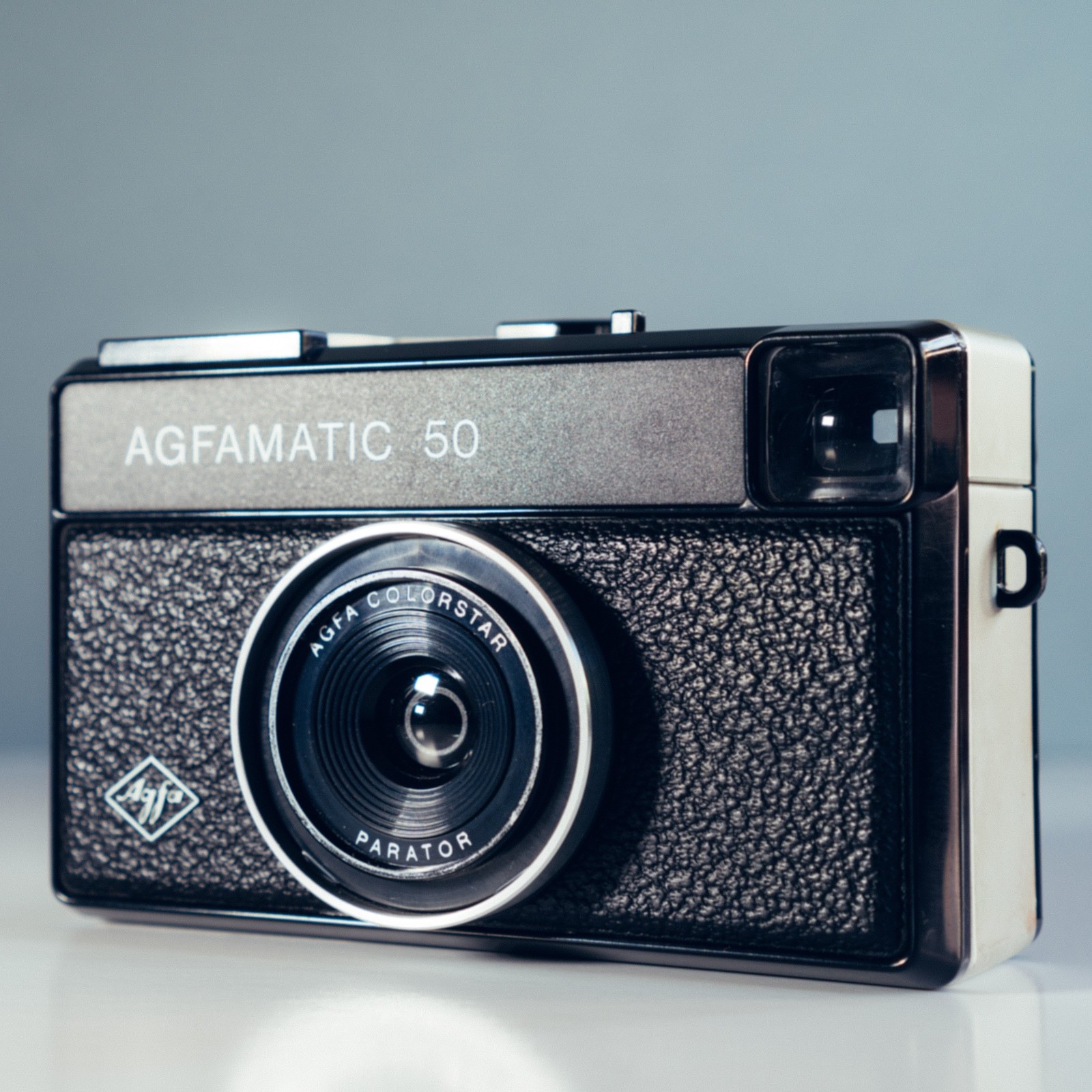
| Square, 1600 (the photo above) | 1600×1600 JPEG | 499,311 |
| Square, 1200 | 1200×1200 JPEG | 273,132 |
| Square, 1000 | 1000×1000 JPEG | 183,413 |
| Square, 500 (eBay’s minimum) | 500×500 JPEG | 55,699 |
| 4:3 crop | 1600×1200 JPEG | 372,400 |
| 16:9 crop | 1600×900 JPEG | 305,877 |
| Keep the photo’s shape | 1600×1422 JPEG | 412,916 |
| Whole photo fitted on white | 1600×1600 JPEG | 420,596 |
| Square, as PNG | 1600×1600 PNG | 4,714,116 |
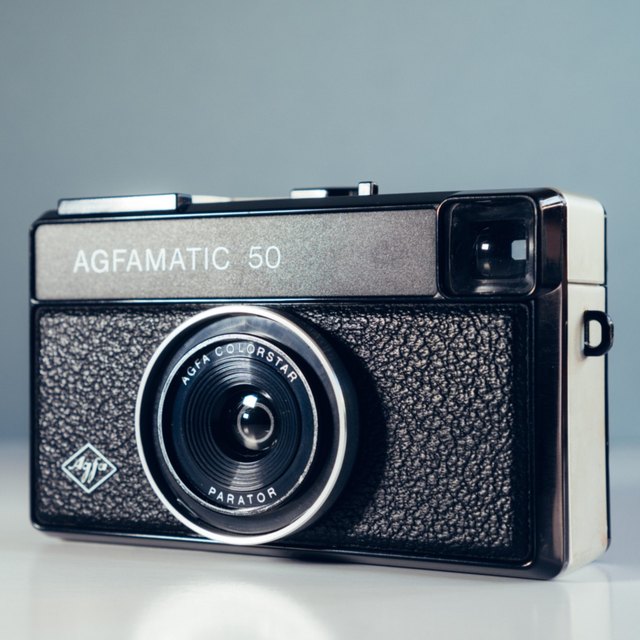
Sample: AGFA vintage camera by Andrew Small (Unsplash), CC0 (Creative Commons Zero, Public Domain Dedication), via Wikimedia Commons; converted to sRGB, cut to 4500 × 4000 around the camera and resized to 2700 × 2400.
.jpg)
What we did not check
- Uploading. We don’t have an eBay seller account here, so we haven’t seen eBay’s uploader, its crop and background tools, or whether it rejects a photo that is 500 px on the long side but shorter on the other.
- Computer layouts in full. After the first few pages, ebay.com started answering our browser with its error page, so the listing page at 1920 px was measured on one listing, and the badge and buttons over the main photo on a computer weren’t measured.
- The eBay apps for iPhone and Android (we measured the mobile website), Gallery Plus hover, the zoom and full-screen viewer, eBay sites outside the US, eBay Motors photo counts, Seller Hub bulk uploads and video.
- Whether photo size changes where a listing ranks. eBay says quality images can “improve your items placement in search results” and that added graphics “can affect your listing's placement”; it doesn’t say more, and we didn’t test it.
What this tool doesn’t do
It doesn’t sign in to eBay or upload anything; you download the file and add it in the Photos & Video section of your listing. It doesn’t remove backgrounds or retouch, and it won’t make a small photo sharper: it warns you when it has to enlarge. It isn’t affiliated with eBay. Selling the same item elsewhere? The Etsy listing photo resizer, Amazon product image resizer (pure white background) and Shopify product image resizer follow each site’s own rules. To shrink other images there is the image compressor.
Frequently asked questions
What size should eBay photos be?
eBay recommends “about 1600 x 1600” pixels. The minimum is 500 px: “a minimum resolution of 500 x 500 pixels” in the photo tips, “at least 500 pixels on the longest side” in the picture policy. Files can be up to 12 MB. This page makes a 1600 × 1600 JPG by default.
What is the minimum photo size on eBay?
500 pixels. The picture policy says “Photos must be at least 500 pixels on the longest side.” The help page’s photo tips say “a minimum resolution of 500 x 500 pixels”, which also covers the short side. A photo that is 500 px on both sides meets both.
What is the maximum file size for eBay photos?
12 MB per photo: “Our photo uploader can take images up to 12MB in size”. eBay doesn’t say whether that is 12,000,000 or 12,582,912 bytes, so this tool keeps files under 12,000,000. A 1600 × 1600 JPG is usually well under 1 MB.
What aspect ratio is best for eBay photos?
eBay says “Generally, photos in a 1:1 or 16:9 aspect ratio look best”. On ebay.com every search result box we measured was square (256 × 256 on a computer, 120 × 120 on a phone), so a square photo shows biggest there. On a computer the listing page box is 680 × 510, which a 4:3 photo fills exactly.
Does eBay compress images?
Yes. eBay’s developer guide says “EPS downscales and compresses the picture and stores it at the different sizes in the image set.” On ebay.com we saw copies 500 px on the long side in search, 1600 px on listing pages and 300 px in phone search, sent as WebP. The largest copy we could get was 1600 px.
Is there an eBay picture size tool?
eBay’s own uploader lets you “Crop, rotate, edit the background, and adjust the brightness and contrast” after you upload. This page is a separate free tool, not made by eBay: it makes the file at eBay’s recommended size before you upload, checks it, and shows it in the boxes eBay uses.
How many photos can you put on an eBay listing?
Up to 24: “You can add up to 24 pictures.” In listings with variations, “A maximum of 12 pictures may be used per variation.” eBay Motors listings depend on the vehicle package. Every listing needs at least one photo.
Does eBay require a white background?
No. eBay says “White backgrounds are generally best, but for shiny or reflective items like a piece of jewelry, a darker background may work better”. Its editor has a background tool that can replace the background with solid white.
Why are my eBay photos blurry?
Usually because they’re small. eBay’s tips say “Small photos get blurry when enlarged”, and its developer guide says a picture smaller than a stored size is kept at its own size and its quality “is likely to be degraded”. On a computer the main photo box is 680 × 510 or bigger, so a 500 px photo gets stretched. Upload about 1600 px.
What is the eBay main photo size?
eBay doesn’t give the main photo its own size; it is simply the first picture, and it “appears next to your item’s title in search results”. eBay says it “should show the whole item face-on”. Use the same 1600 × 1600 as your other photos; in search it’s shown in a square box.
Can I use stock photos on eBay?
Not for used items: “You can’t use a catalog or stock photo if you’re listing an item as used.” The picture policy also bans “Stock photos for used, damaged, or defective items”, and you can’t copy photos from a manufacturer’s website. eBay’s own product catalog images are allowed.
Are watermarks or borders allowed on eBay photos?
No. The picture policy doesn’t allow “Photos with added borders”, “Photos with added text, artwork or marketing material” or “Watermarks of any type, including those used for ownership attributions”. This tool adds none and warns if fitting your photo adds bars.
Why won’t my photos upload to eBay?
eBay’s checklist: use an accepted format (JPEG, PNG, GIF, TIFF, BMP, WEBP, HEIC or AVIF), keep each file under 12 MB, use a current browser, clear your cache, and turn off pop-up blockers for the uploader. This tool’s JPGs meet the format and size rules.
Is this eBay photo resizer free?
Yes. Single photos at any shape and size download free, with no watermark and no sign-up, and your photo stays in your browser. Pro ($5 for 30 days, paid in USDC) adds the listing photo set: up to 24 photos in one ZIP, numbered from the main photo, with a checks.csv.