How to make an Amazon main image
An Amazon main image is judged on the pixels, not just the size: the background has to be exactly 255, 255, 255, and the product has to fill the frame without touching its edge. This page whitens the backdrop of a real photo, frames the product, saves a JPEG at Amazon’s preferred settings, and then checks the saved file.
- Drop one or more product photos. A real camera photo of a mug on a grey studio backdrop is already converted below so you can see the result first.
- Keep “Make the backdrop pure white” and check the 100% view at the product’s edge. Raise the tolerance if grey is left, lower it if the product’s edge turned white.
- Set how much of the frame the product fills (95% by default) and the frame shape. Square suits most products.
- Download the JPEG: pure white, 2,000 px, under 10,000,000 bytes, RGB, 72 dpi. Type the ASIN to get a B0….MAIN.jpg name for Amazon’s Upload Images tool.
What Amazon says about the main image (read October 25, 2026)
Every line in quotes below is copied from Amazon’s own Seller Central help pages, its sell.amazon.com blog, or PDFs on Amazon’s own servers, as they read on October 25, 2026, signed out. The help pages say “This article applies to selling in: United States” and carry no edit date.
| Topic | Amazon’s words | Source |
|---|---|---|
| Background | “Have a pure white background (RGB color values: 255, 255, 255) to create a consistent shopping experience for customers across search and product detail pages.” | Seller Central: Product image guide |
| Fill | “Show the product as 85% of the image.” The Product Too Small page: “The product must occupy at least 85% of the image area, making use of as much of the image space as possible without cropping the product or letting shadows run to the edge of the image.” | Seller Central: Product image guide; Seller Central: Product Too Small |
| Whole product | “Show the entire product within the frame of the image. Do not cut off any part of the product.” “Images where the product touches or is cut off by the edge of the frame are not allowed.” | Seller Central: Product image guide; Seller Central: Cropped Product |
| Pixel size | “Minimum 500 pixels and maximum Maximum 10,000 pixels on the longest side” (the word is doubled on Amazon’s page). “Images below 500 pixels on the longest side cannot be uploaded. Do not artificially enlarge small images.” | Seller Central: Product image guide |
| Zoom | “We recommend 1,000+ pixels for the best customer experience. Images with 1,000+ pixels on the longest side enable the zoom function.” | Seller Central: Product image guide |
| File types | “JPEG (.jpg or .jpeg), TIFF (.tif or .tiff), PNG (.png), non-animated GIF (.gif)”, “JPEG recommended” | Seller Central: Product image guide |
| File size | Not on the Product image guide. Error 20013: “Image file size exceeds the maximum allowed file size: 10,485,760 bytes.” | Seller Central: Error 20013 |
| Resolution and colour | “At least 72 dpi”; colour mode RGB, “Preferred”. CMYK: “Not preferred. Convert to RGB before uploading.” “Do not rely on ICC color profiles for accurate color display on Amazon.” | Seller Central: Product image guide; Seller Central: Technical image file requirements |
| Compression | “Submit images with minimal or no compression.” “For JPEG files, save at the highest possible quality level.” “For TIFF files, do not apply any file compression.” | Seller Central: Technical image file requirements |
| Quality | “Clear, non-pixelated, no jagged edges” | Seller Central: Product image guide |
| File name | “Image files must be named: Product identifier + variant code + file extension.” “Example: B000123456.MAIN.jpg”, marked Optional. The upload page also allows “Flexible file naming: Name your files as you like (for example, image1.jpg) and assign them to products after upload.” | Seller Central: Product image guide; Seller Central: Upload images |
| If it fails | “If there is no main image that meets the requirements, we may temporarily remove the product listing from search until a compliant main image is provided.” | Seller Central: Product image guide |
Where Amazon’s own pages don’t agree
1,000 or 1,600 pixels for zoom? The Product image guide and the upload errors page say 1,000 (“For zoom functionality, use 1,000 pixels or larger.”). The clothing page says “High-resolution professional photos with 1,000 pixels or larger in either height or width to activate the zoom feature.” The 1,600 figure that many guides repeat comes from Amazon’s Spring 2021 clothing imaging PDF: “At least 1,600 pixels in height”. That PDF is for clothing, is from 2021, and isn’t linked from any of the help pages we read. The blog says “We prefer images larger than 1,000 pixels on each side to allow for zoom, which can enhance sales.”, which is “each side”, not “the longest side”. This page makes 2,000 px by default, which clears every one of these. 2,000 is our choice, not a number Amazon gives.
Is the 500 px minimum the long side or the short side? The Product image guide says the longest side. The Product image error codes page says “Product image files must be at least 500 pixels on the shortest side.” The Error 20009 page goes further for main images: “main product images should have the longest side at least 1000 pixels and less than 10,000 pixels”. A 2,000 × 2,000 square passes all three readings.
85% of what? The guide says “Show the product as 85% of the image.” without saying how it is measured. The Product Too Small page and the clothing page say image area (“Minimum aspect ratio is close to 3:4 (width/height) and 85% of the total image area occupied”). The error codes page calls it “As a general rule, at least 85% of a product image should be taken up with the product itself.” The blog says “Have the product fill 85% or more of the frame.” Amazon’s 2018 Quick Start Style Guide says “Show the entire product, and have the product occupy at least 80 percent of the image area”. Area and length give very different answers: a square product box that spans 85% of a square frame’s width covers only 72.25% of its area (0.85 × 0.85, our arithmetic). A product twice as tall as it is wide, like a bottle, can’t cover 85% of a square frame’s area at all: even touching the top and bottom, its box covers 50% (our arithmetic). So this page measures the product box and shows both numbers. The default spans 95% of the frame (our choice), and “Product’s own shape” trims the frame so the area number rises too. We don’t know how Amazon’s checker measures it.
What is 10 MB? The Product image guide sets no file-size limit. The Error 20013 page says “Your uploaded image file is larger than 10MB (10,485,760 bytes), which exceeds the marketplace's maximum allowed size.” 10,485,760 bytes is 10 × 1,024 × 1,024, so Amazon’s “10MB” here means the binary megabyte. This page keeps every file under 10,000,000 bytes, the stricter reading.
Which file types? The guide and the Upload images page list JPEG, TIFF, PNG and non-animated GIF. Other Amazon pages leave some out. The error codes page says “Amazon accepts only .tif, .tiff, .jpg, .jpeg, or .gif file extensions.”, with no PNG. Error 20015 lists GIF among “unsupported file formats such as BMP, GIF, or PDF”. Error 20012 says “Save the resized image in an accepted format (.JPEG (.jpg or .jpeg), TIFF (.tif or .tiff), PNG (.png)).” JPEG is on every list and is the one Amazon recommends, so it is the default here. PNG and TIFF are offered; GIF isn’t.
Under or at 10,000 pixels? The guide says a maximum of 10,000. Error 20009 says “less than 10,000 pixels”, and the upload errors page says to confirm the file “is smaller than 10,000 pixels on the longest side”. Pro sizes stop at 9,999.
dpi. The guide asks for “At least 72 dpi”. The 2018 Quick Start Style Guide says “Have at least 1,000 dpi, so that it won’t turn fuzzy when customers zoom in on your image”, which reads like pixels written as dpi. On a screen, dpi is only a label in the file; the pixel count is what matters for zoom. This page writes 72 dpi into every JPEG, PNG and TIFF it makes.
RGB or CMYK? The technical page says CMYK is “Not preferred. Convert to RGB before uploading.” The corrupted-file page says “We accept JPEG (.jpg or .jpeg), TIFF (.tif), PNG (.png) or non-animated GIF (.gif) files with either RGB or CMYK color models. JPEG is recommended.” Browsers save RGB only, so every file here is RGB.
What “pure white” means in practice
Amazon’s Non-white background page flags a main image if “There is a background and it is not pure white (RGB 255, 255, 255) with minimal shadows around the product”, or if “There is a visual frame, line, or border on any portion of the edges of the image”. It also says “When you use an image that's edited to remove background elements, any background areas that remain, such as off-white or gray backdrops, artifacts, objects, or outlines that are added around the border of the image, are not allowed.” The error codes page gives the same white as a hex code: “the background of the image is not pure white (hex code #FFFFFF)”.
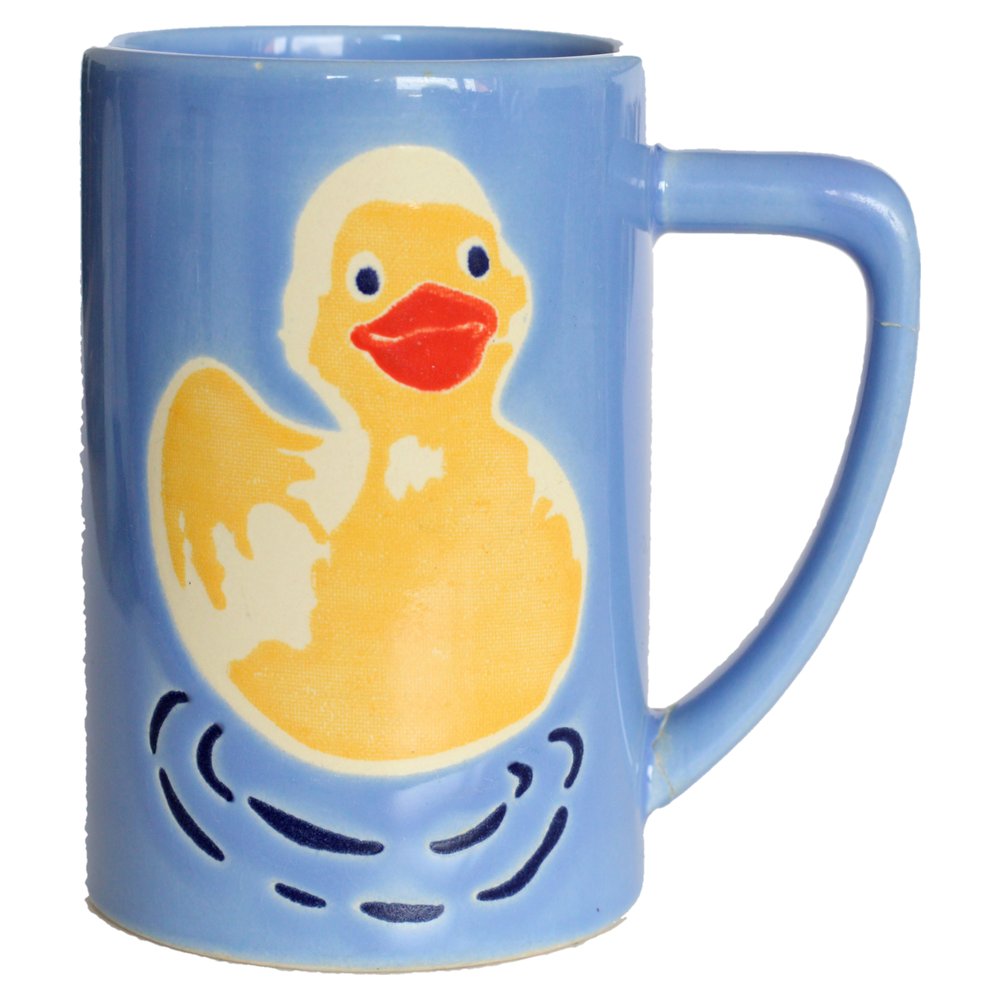
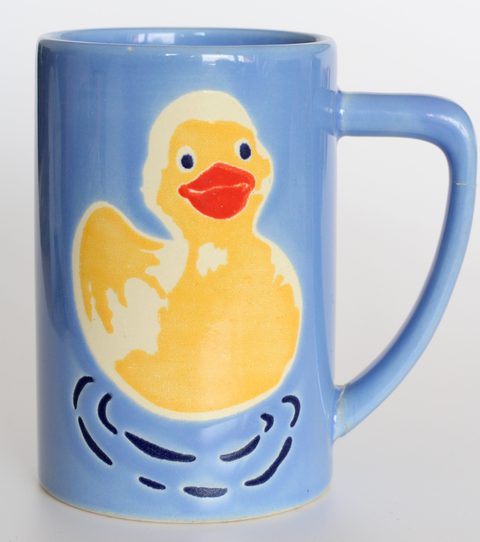
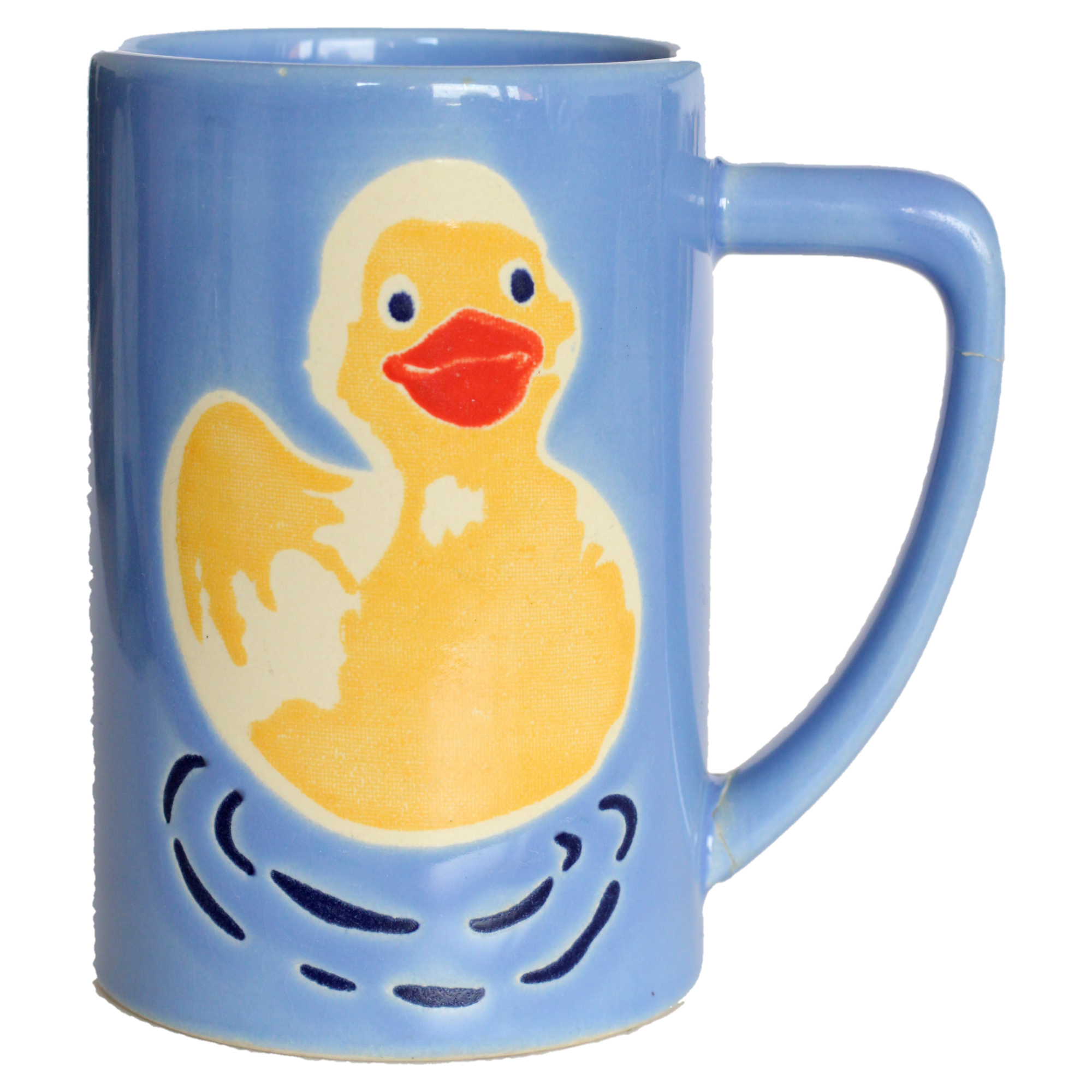
A white paper sweep photographed in a room is almost never 255, 255, 255. The sample here is a real studio photo: its backdrop reads rgb(218, 217, 217) at the edges and darkens to grey towards the bottom. This page takes the backdrop colour from the photo’s outer edge and grows it inward, pixel by pixel, as long as each step is small and the colour stays close to the backdrop or stays a neutral grey (the tolerance sets how far and how dark). Everything it reaches becomes exactly 255, 255, 255, including the darker shading and soft shadows on the sweep. With “Whiten backdrop seen through gaps” on, neutral grey areas the product encloses, like the inside of a mug handle, go white too if they are bigger than 0.2% of the photo and near the backdrop’s brightness. Specks smaller than 0.1% of the photo, such as dust on the sweep, go white too. The product’s own pixels are not touched. The outline is smoothed (a majority vote over a few pixels, so JPEG noise doesn’t leave a ragged edge) and gets a one-pixel blend into the white. Coloured parts of the product stay, even pale ones like the cream outline of the duck, because they aren’t neutral grey.
It is not an AI cut-out. A product the same colour as its backdrop (a white mug on white paper) will lose edge pixels. Lower the tolerance, or cut the product out first and drop the transparent PNG here: transparent areas become pure white and the product is framed from its outline. After saving, the page decodes the file again and counts the pixels: on the sample, 100.0% of the pixels outside the product box and 100.0% of the outer edge are exactly 255, 255, 255.
Fill, size and file: what this page does
- Fill: the product box (the smallest rectangle around everything that isn’t backdrop) is scaled so its longer side spans 95% of the frame by default, centred, with white all round. The slider goes from 80% to 99%. On the sample the box is 1,684 × 1,900 px in a 2,000 × 2,000 frame: 95.0% of the frame and 80.0% of the area.
- Shape: Amazon’s pages give no required shape. Error 20010 speaks of a maximum ratio (“for example, an image with dimensions 5000x500 pixels would have a ratio of 10:1, which may exceed the maximum allowed ratio of 8:1”) and of guidelines “typically recommending square or near-square images”. Square is the default. 3:4 portrait follows the clothing page. “Product’s own shape” uses the box’s shape with the same white margin on every side.
- Size: long side 2,000 px on Free; Pro goes as large as your photo allows, up to 9,999 px. It never enlarges: if the product in your photo is smaller than the target, the file is smaller and the page says so. Amazon’s error codes page lists “a digital image was resized (upward) to create a degraded image” as a reason for rejection.
- File: JPEG at quality 100 by default, because Amazon asks for the highest quality. The page only lowers it if a file would reach 10,000,000 bytes. PNG is lossless. TIFF is written uncompressed, as Amazon asks, which costs 3 bytes per pixel. The largest square that fits under 10,000,000 bytes is 1825 × 1825 (9,991,875 bytes of pixels plus a 204-byte header, our arithmetic), so TIFF stops there even on Pro.
- Clean file: phone rotation (EXIF) is applied to the pixels, then EXIF, GPS and camera colour profiles are left out, and 72 dpi is written into the header. Amazon: “Remove all layers from images before you submit.” A browser only ever saves a single flat layer.
- File name: type an ASIN, UPC, EAN or other product ID and the download is named like
B000123456.MAIN.jpg, the guide’s pattern, which the bulk Upload Images tool reads to attach the image to the product. The guide warns “The file name requires three components, separated by a period (spaces, dashes, or additional characters will prevent your image from uploading).” Without an ID the name is likeentenbecher-amazon-main-2000x2000.jpg, for flexible naming.
What the resizer can’t fix
Most main-image rules are about what is in the photo, not the file. The guide asks you to “Only show the product once in the image.” and to “Show only one unit of the product and any accessories that are included with the product.” The Image suppression page lists text, logos, watermarks, props, packaging, mannequins and models in the wrong pose as reasons to hide a listing. Clothing in adult sizes goes on a standing model; a single shoe faces left at 45 degrees. A few product types may use a lifestyle main image instead of white: “These are: BED, BED_FRAME, MATTRESS, RUG, RUG_PAD, SOFA.” Amazon also says “We may also modify images that you submit to meet the product image requirements or enhance the customer experience.”
Measured on the sample
| Setting | File | Size |
|---|---|---|
| Defaults: pure white (tolerance 40), 95% fill, square (the image above) | 2000×2000 JPEG, quality 100 | 2,178,168 bytes |
| Portrait 3:4 frame | 1500×2000 JPEG, quality 100 | 1,698,990 bytes |
| Product’s own shape (89.7% of the area) | 1784×2000 JPEG, quality 100 | 2,166,033 bytes |
| PNG | 2000×2000 PNG | 4,209,350 bytes |
| TIFF, uncompressed | 1825×1825 TIFF | 9,992,079 bytes |
| “Keep the photo’s pixels” (no whitening) | 2000×2000 JPEG, quality 100: only 0.0% of the photo’s own top and bottom edge is pure white, so the grey backdrop stays | 2,429,891 bytes |
| Largest size (Pro) | 3998×3998 JPEG, quality 100 | 7,014,402 bytes |
Sample: “Entenbecher” (duck mug) by Tetzemann on Wikimedia Commons, released under CC0: a 3668×4139 photo on a light grey studio backdrop, 1,411,740 bytes, used unchanged. Sizes and pixel counts were measured in Chrome with this page’s own code. Other browsers’ JPEG encoders give slightly different byte counts.

What this tool doesn’t do
It doesn’t connect to Seller Central or upload anything. You download the file and add it in Image Manager or the Upload Images tool yourself (Amazon: “You can upload up to 1,000 images and 1 GB per zip file.”). It doesn’t remove props, text or a second unit from the photo, retouch, or make a small photo sharper. It can’t tell you whether Amazon will pick your image: “Uploading an image doesn't guarantee it will be displayed on the product detail page.” For the other photos on a listing, which may have any background, and for other stores, see the Shopify product image resizer and the Etsy listing photo resizer.
Sources, all read on October 25, 2026 in Chrome, signed out: Seller Central: Product image guide, Seller Central: Technical image file requirements, Seller Central: Upload images, Seller Central: Image suppression, Seller Central: Product Too Small, Seller Central: Non-white background, Seller Central: Cropped Product, Seller Central: Product image error codes, Seller Central: Image upload errors and display issues, Seller Central: Error 20009, Seller Central: Error 20010, Seller Central: Error 20012, Seller Central: Error 20013, Seller Central: Error 20015, Seller Central: Image file was corrupted or of an unexpected format, Seller Central: Image guidelines for clothing, Seller Central: Product page style guides, sell.amazon.com: 6 tips for taking product photos, Amazon Quick Start Style Guide (2018 PDF) (© 2018 Amazon Commercial Services Pty Ltd, linked from the style guides page) and Amazon Seller Imaging Guidelines, Clothing & Accessories (Spring 2021 PDF) (found by web search, not linked from the pages above). Amazon’s US search pages answered our headless browser with HTTP 503 (“Sorry! Something went wrong!”), so we did not measure how amazon.com displays thumbnails or zoom, and we did not try to get around that. We did not log in to Seller Central or upload a test image, so how Amazon’s checker measures the 85% is not tested here. Category style guides behind the Inventory file templates page and other Amazon stores (UK, EU, India and so on) were not checked. Gridloom is not affiliated with Amazon. Amazon is a trademark of Amazon.com, Inc. or its affiliates.
Frequently asked questions
What are Amazon’s main image requirements?
A pure white background (RGB 255, 255, 255), the whole product in the frame and filling 85% of the image, one unit only, no text, logos, props or watermarks, 500 to 10,000 pixels on the longest side (1,000+ for zoom), in JPEG, TIFF, PNG or non-animated GIF, at least 72 dpi. That is from Amazon’s Product image guide on Seller Central, read October 25, 2026.
What size should Amazon product images be?
Amazon accepts 500 to 10,000 pixels on the longest side and recommends 1,000 or more, which turns on zoom. Its 2021 clothing guide says at least 1,600 pixels in height. This page makes 2,000 × 2,000 by default, which clears all of them, and stays under 10,000,000 bytes.
What aspect ratio should Amazon images be?
Amazon’s image guide doesn’t require one. Its error 20010 page says store guidelines typically recommend square or near-square images, and its clothing page says close to 3:4. Very long shapes can be rejected; the page gives 8:1 as an example maximum. Square is the default here.
What is Amazon’s image file size limit?
The Product image guide sets none. Amazon’s error 20013 page gives a maximum of 10,485,760 bytes, which it calls 10MB. This page keeps every file under 10,000,000 bytes to be safe.
What is Amazon’s white background color code?
RGB 255, 255, 255, which is hex #FFFFFF. Amazon’s image guide gives the RGB values and its error codes page gives the hex code. An off-white or light grey backdrop doesn’t count.
How do I make a white background for Amazon product photos?
Shoot on a plain light backdrop, then make the backdrop exactly 255, 255, 255. This page does that in your browser: it finds the backdrop colour at the edges of the photo and turns everything connected to it pure white, then frames the product at 95% fill. A transparent PNG cut-out also works: the transparent parts become white.
Does the product have to fill 85% of an Amazon image?
Amazon says so: “Show the product as 85% of the image.” One page measures it by image area, and the error codes page calls 85% a general rule. The older 2018 style guide said 80%. This page spans 95% of the frame by default and shows both the length and the area figure.
Why are my Amazon images not zooming?
Zoom needs at least 1,000 pixels on the longest side, according to Amazon’s Product image guide. A new image can take up to 24 hours to show on the product page. An image enlarged from a small one has the pixels but not the detail.
What size are Amazon product images in inches?
Amazon gives sizes in pixels, not inches. Inches only come from the dpi label in the file. 2,000 pixels at 72 dpi works out to 27.8 inches (our arithmetic), but on a screen only the pixel count matters. Amazon asks for at least 72 dpi, and this page writes 72.
Should Amazon product images be JPEG or PNG?
JPEG. Every Amazon page we read lists it and the image guide recommends it. PNG is on the guide’s list but missing from the error codes page. PNG files are also much bigger: on the sample, the PNG is 4,209,350 bytes and the quality-100 JPEG is 2,178,168.
How should I name Amazon image files?
For the bulk Upload Images tool, Amazon’s pattern is product ID + variant code + extension, like B000123456.MAIN.jpg, separated by periods with no spaces or dashes. Type your ASIN here to get that name. With flexible naming you can name files anything and assign them after upload.
Is it free, and are my photos uploaded?
Free for one image at a time at 2,000 px, with no watermark and no signup. Everything runs in your browser and nothing is uploaded. Pro ($5 for 30 days, paid in USDC) adds the largest size your photo allows, up to 9,999 px, and up to 50 photos at once as a ZIP.