
How to compress an image to 5 MB or 4 MB
A 5 MB or 4 MB limit is about bytes, not pixels. Lowering the JPEG quality a little usually saves more bytes than throwing pixels away, and it looks better too. These steps get a photo under the limit while keeping as much of it as possible.
- Choose, drop or paste your image. Or press “Run it live on the 9.5 MB sample” to see it work first.
- Set the limit with the slider or a preset: 5 MB, 4 MB, 3.75 MB, 3 MB or 2 MB. Leave the megabyte counting on 1,000,000 bytes unless the site says otherwise.
- Keep “Keep full resolution if it fits” and the same format as the original, or pick JPEG for a PNG photo.
- Check the status line, the byte count and the 100% crops, then download.
Example: a 9.47 MB photo under 5 MB, 4 MB, 3 MB and 2 MB (measured)
| Limit | Result | Pixels | Quality | |
|---|---|---|---|---|
| 5 MB (5,000,000 bytes) | 4,798,207 bytes (4.80 MB) | 4124×2840 (full) | 96 | JPEG |
| 4 MB (4,000,000 bytes) | 3,893,946 bytes (3.89 MB) | 4124×2840 (full) | 94 | JPEG |
| 3.75 MB (3,750,000 bytes) | 3,560,041 bytes (3.56 MB) | 4124×2840 (full) | 93 | JPEG |
| 3 MB (3,000,000 bytes) | 2,993,967 bytes (2.99 MB) | 4124×2840 (full) | 90 | JPEG |
| 2 MB (2,000,000 bytes) | 1,976,592 bytes (1.98 MB) | 4124×2840 (full) | 79 | JPEG |
| 5 MB as WebP | 4,959,374 bytes (4.96 MB) | 4124×2840 (full) | 98 | WebP |
| 5 MB counted as 5,242,880 bytes | 4,798,207 bytes (4.80 MB) | 4124×2840 (full) | 96 | JPEG |
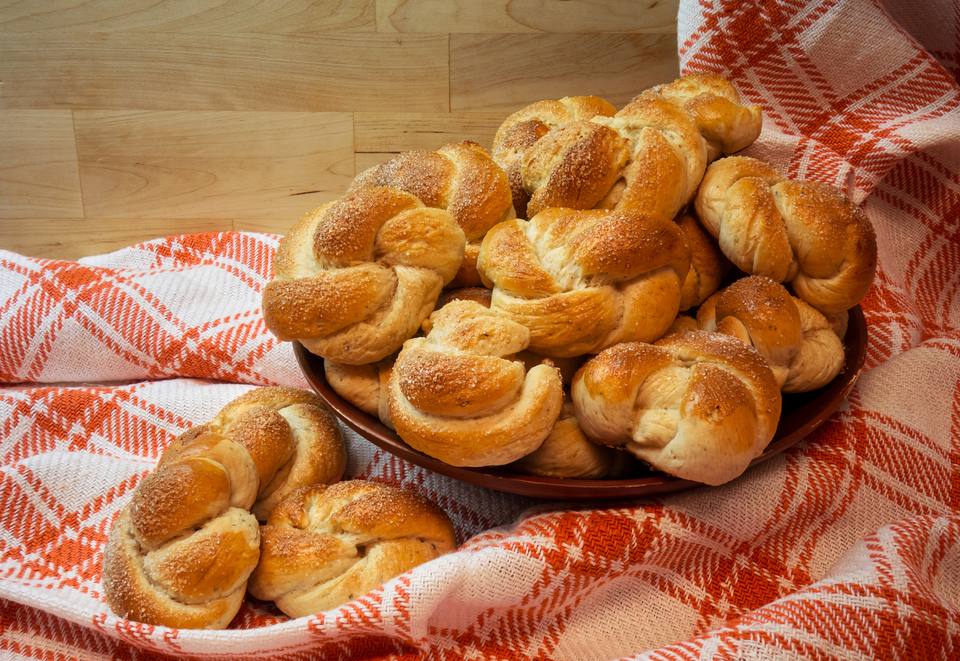
Measured with this tool in Chrome 156 on October 24, 2026, on “Cardamom buns” by W.carter, CC0, via Wikimedia Commons (9,469,703 bytes, 4124×2840, a focus-stacked camera photo). Another browser's encoder can land a few kilobytes differently; the tool always checks the real file against your limit.
Which sites cap images at 5 MB or 4 MB
Quoted from each service's own help or developer page, read on October 24, 2026. Limits change, so check the page before a deadline.
| Where | What the page says | Source |
|---|---|---|
| Google Business Profile photos | “Format: JPG or PNG.” “Size: Between 10 KB and 5 MB.” “Recommended resolution: 720 px tall, 720 px wide.” | Google Business Profile Help, “Manage your Business Profile photos & videos” |
| Google Ads, Performance Max image assets | “Maximum file size of 5 MB”, and in the size table “5120 KB max file size”. Also: “Upload images as .jpg or .png with a maximum size of 5MB.” | Google Ads Help, “About image assets for Performance Max campaigns” |
| Notion | “If you're on the Free Plan, all files you upload must be under 5MB. If you're on a paid plan, PDFs must be under 20MB and images (PNG, JPG) must be under 5MB.” The FAQ on the same page says “If you’re on a paid plan, you can upload files of up to 5GB each.” and, for an image that is too large to be displayed, “you can try uploading the image as a file.” | Notion Help, “Images, files & media” |
| X (Twitter) API media upload | “Supported image media types: JPG, PNG, GIF, WEBP” “Image size: <= 5 MB”. The same page lists 5 MB for images on default and X Premium accounts. | X developer docs, “Best practices” (media upload) |
| Claude API on Amazon Bedrock | “5 MB (base64-encoded) on Amazon Bedrock.” The same list gives “10 MB (base64-encoded) on the Claude API and Claude Models on Google Cloud (Google managed).” | Claude Platform Docs, “Vision” |
| Canada permanent resident photo (online) | “Photo dimensions: between 715 x 1000 and 2000 x 2800 pixels” “File size: 4 MB or less” “File format: .jpeg or .jpg” | IRCC, “Permanent resident photos” (Canada.ca) |
| ResearchGate profile photo | “Size: Your image must be at least 180x180 pixels and no larger than 4MB” | ResearchGate Help, “Profile photos” |
Gridloom isn't affiliated with any of these services. We left out limits we couldn't confirm on the service's own page today: X's Help Center photo page no longer gives a size, and OpenAI's current image-edit reference no longer shows its old 4 MB PNG rule.
Is 5 MB 5,000,000 or 5,242,880 bytes?
It depends on the site, and most don't say. Google Ads shows both readings at once: “Maximum file size of 5 MB” in the text and “5120 KB max file size” in its table, which is 5 × 1,024 KB. A file of 5,100,000 bytes passes a site that means 5,242,880 and fails one that means 5,000,000. That's why this tool counts 5 MB as 5,000,000 bytes unless you switch it: a file under 5,000,000 bytes passes either way. On our sample both settings gave the same file (4,798,207 bytes, quality 96), so the safe setting cost nothing; on other photos it can cost a quality point or two.
Compressing to 5 MB without losing quality: what actually changes
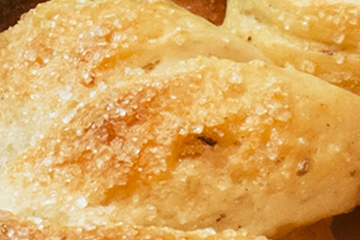
A JPEG can't be re-saved smaller with zero loss, so “without losing quality” really means without losing anything you can see. The tool keeps every pixel and searches for the highest JPEG quality (up to 100) whose file is at or under your limit. Only if even quality 40 at full size is too big does it shrink the pixel size, and then only as much as needed. The 100% crops under the result show the same patch of the original and the compressed file, so you can judge it yourself rather than take our word for it. A file that is already under the limit is returned untouched, byte for byte.
The new file doesn't carry the original's EXIF data (camera model, GPS location). The photo is turned upright first, so it doesn't end up sideways.
PNG, screenshots and “why is it still over 5 MB?”
PNG is lossless, so the only way to make a PNG smaller is fewer pixels, and the tool will resize it to fit. For photos saved as PNG, switch the format to JPEG: the pixel size stays and the file usually drops far below the limit. Very large panoramas and drone shots can need a smaller pixel size even as JPEG; the status line says when that happens and by how much. HEIC photos from an iPhone only open in browsers that can read HEIC (most can't). On iPhone, set Settings → Camera → Formats → Most Compatible, or share the photo as JPEG first.
4 MB for a Canadian permanent resident photo: read this first
IRCC wants the photo between 715 × 1000 and 2000 × 2800 pixels, at “4 MB or less”, as .jpeg or .jpg. It also says the photo can't be altered: “An altered photo is a photo that has been edited or changed in any way, by any means.” Its list of examples includes changes to colour, brightness, contrast and sharpness, and cropping around the head and shoulders. This tool doesn't do any of those, but IRCC's page doesn't say either way whether re-saving a JPEG at a lower quality counts. The safest route is to ask the photographer for a JPEG under 4 MB. If you do use the tool, keep “Keep full resolution if it fits”, set the limit to 4 MB and check the result is still between 715 × 1000 and 2000 × 2800.
Claude on Amazon Bedrock: 5 MB base64 is about 3.75 MB of image
Base64 turns every 3 bytes into 4 characters, so a file grows by a third when it's encoded. A 3,750,000-byte image becomes 5,000,000 characters, which is why there's a 3.75 MB preset. On our sample that still kept the full 4124×2840 at JPEG quality 93.
Need it smaller?
The same tool works for any limit (the slider goes from 0.5 to 10 MB). For a 2 MB or 1 MB cap there are pages with presets for those limits: compress image to 2 MB and compress image to 1 MB. For emailing a batch of photos, see reduce JPG size for email. For exact kilobyte targets, use the image compressor.
What this tool doesn't do
It doesn't make PDFs (“compress image to 5 MB PDF” is a different job), doesn't touch video, and keeps only the first frame of a GIF. It won't crop, retouch or change colours. Batch compression of many images into one ZIP is part of Gridloom Pro; one image at a time is free, with no size cap of our own.
Frequently asked questions
How do I compress an image to 5MB?
Set the limit to 5 MB and drop the image. The tool saves it at the highest JPEG quality whose file is at or under 5,000,000 bytes and keeps the full pixel size unless even quality 40 is too big. Our 9.47 MB sample photo came out at 4,798,207 bytes, still 4124×2840, at quality 96.
How do I compress an image to 4MB?
Press the 4 MB preset, or slide the limit to 4, and drop the image. The target becomes 4,000,000 bytes, which passes a site that counts 4 MB either way. Our sample came out at 3,893,946 bytes at full resolution, JPEG quality 94.
Can I compress an image to 5MB without losing quality?
Without losing anything you can see, usually yes. A JPEG can't be re-saved with zero loss, but at 5 MB most photos keep every pixel at a high quality setting: our 11.7-megapixel sample kept quality 96. Compare the 100% crops under the result before you download.
How do I compress a JPG to under 5MB?
Drop the JPG with the limit at 5 MB and the format on “Same as the original”. You get a JPG back, at or under 5,000,000 bytes. If the file is already under the limit, it's returned untouched.
How do I compress a PNG to 5MB?
For a photo or anything without transparency, switch the format to JPEG: the pixel size stays and the file usually ends up far below 5 MB. If it must stay PNG, the tool shrinks the pixel size until it fits, because PNG is lossless and has no quality setting.
How do I make a picture less than 5MB on my phone?
Open this page in your phone's browser, tap “Choose your image” and pick the photo. It's compressed on the phone itself, and the download goes to your files or photos. On iPhone, HEIC photos may not open in the browser; set the camera format to Most Compatible or share the photo as JPEG first.
Is 5MB a big file for a photo?
Not for a photo. 5 MB held our 11.7-megapixel sample at full resolution and JPEG quality 96, and 2 MB still held it at quality 79. Originals go over 5 MB when the photo is very detailed, very large or saved as PNG.
How do I compress an image from 5MB to 2MB?
Press the 2 MB preset. On our sample that gave 1,976,592 bytes at 4124×2840, JPEG quality 79. There's also a page set up for that limit: compress image to 2 MB.
Is 5 MB counted as 5,000,000 or 5,242,880 bytes?
Sites differ, and few say. Google Ads, for example, writes “Maximum file size of 5 MB” and “5120 KB max file size” on the same page. This tool aims under 5,000,000 bytes by default, which passes either way; switch to 1,048,576 bytes per MB only if the site states it.
Can it compress an image to 5MB as a PDF?
No. It outputs JPG, WebP or PNG images. Making or shrinking a PDF is a different job.
Are my images uploaded?
No. The image is decoded and re-encoded in your browser, in a background worker on your device. Nothing is sent to a server, which also makes it fine for ID photos.
Is it free?
Yes. One image at a time is free, with no signup, no watermark and no size cap of our own. Gridloom Pro ($5 for 30 days or $36 a year, paid in USDC) adds batch compression of many images into one ZIP.