Gridloom vs Dither it!

Both are free, in-browser dither tools. Dither it! is simple and quick; Gridloom is built for deeper control. Here is an honest breakdown.

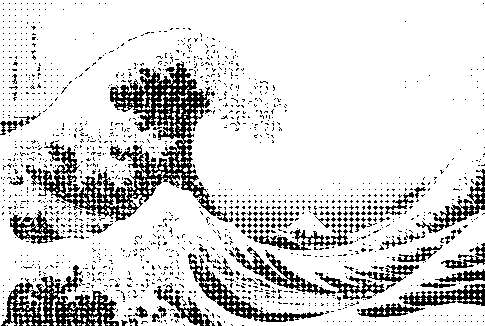
Diamond screen dithering example (1-bit, Great Wave)
Diamond screen
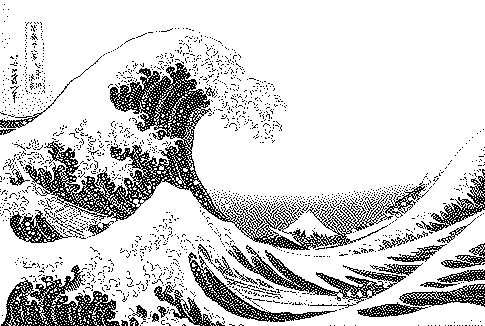
Atkinson dithering example (1-bit, Great Wave)
Atkinson
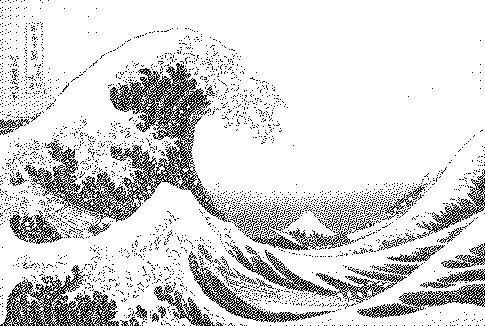
Blue noise (void-and-cluster) dithering example (1-bit, Great Wave)
Blue noise (void-and-cluster)
GridloomDither it!
PriceFree; Pro $5/30 daysFree
Runs in browserYes, no uploadYes
Algorithms23 (error diffusion, Bayer 2–16, blue noise, halftone shapes, diamond, lines, crosshatch, custom matrix)A smaller set of common algorithms
Palette controlEditor, Lospec/.gpl import, OKLab/Lab/RGB matching, gradient mapsPalette picking
Layers / riso separationsYes, stackable with blend modes and offsetsNo
SVG / GIF / video exportPro—

When Dither it! is the better choice

You want a fast, no-frills dither with a palette and nothing else to learn.

When Gridloom is the better choice

You want specific algorithms (diamond, crosshatch, blue noise), precise palette matching, multi-ink riso/CMYK separations, or SVG/GIF/video output.

Competitor details reflect what we could see at time of writing (October 2026); check their site for current features.

FAQ

Is Gridloom a ditherit alternative?

Yes — it covers the same basic use (image to palette with dithering) and adds layers, more algorithms and vector/animation export.

Is either one free?

Both have a free tier. Gridloom's free PNG export goes up to 1000px.

Try Gridloom free →