How to do it
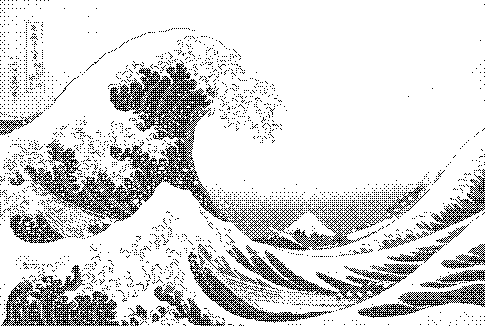
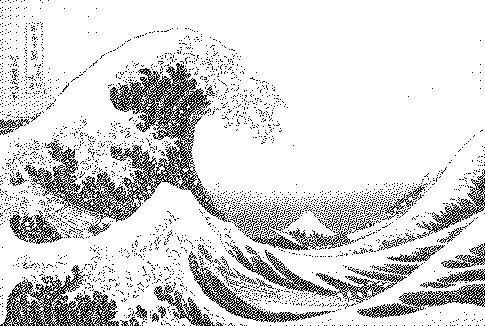
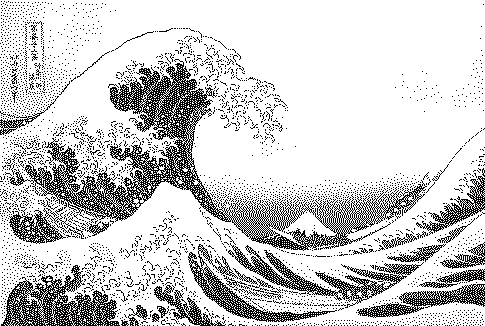
The regular cross-hatch texture of 8-bit consoles and early PCs. Choose matrix size 2×2 to 16×16, any palette, live preview.
- Open or drop an image (a sample is preloaded).
- The preset above is already applied. Adjust contrast, palette and strength to taste.
- Compare with other algorithms from the Algorithm menu.
- Download PNG (free up to 1000px) or SVG/GIF with Pro.
Frequently asked questions
What is the difference between ordered dithering and error diffusion?
Ordered dithering decides each pixel independently using a fixed threshold matrix, so it is fast, parallel and produces a regular pattern. Error diffusion (Floyd–Steinberg, Atkinson) carries each pixel's error to neighbours, which preserves more detail but produces irregular textures.
Which Bayer matrix size should I pick?
2×2 gives only 5 grey levels and a very coarse look; 4×4 gives 17 levels and the classic console look; 8×8 (65 levels) and 16×16 give smoother gradients with a finer grid.
Why is Bayer good for GIFs and animation?
Because each pixel's result does not depend on its neighbours, small changes between frames stay local. Error diffusion makes patterns 'crawl' across frames and compresses worse.
Is my image uploaded?
No. The dither runs locally in your browser; nothing is sent to a server.
Is it free?
Yes. Every algorithm previews free and PNG exports up to 1000px are free with no watermark or signup. Pro ($5 for 30 days, USDC) adds print-resolution exports, SVG, GIF and video.